
DEVELOP3D’S guide to software tools for product designers and engineers who need to convert 3D CAD files from one format to another
Using a CAD translator is a necessary step in overcoming many software and file incompatibilities. After all, sharing data cleanly between applications and workflow steps while still maintaining all the necessary information is vital, and these tools can help you convert files, batch process them and repair them, as well as just visualise native files without needing to install the original software.
For example, CAD translators can help designers and engineers send models in neutral CAD formats – such as STEP, IGES, Parasolid and ACIS – or integrate supplier CAD models within their own assemblies.
Equally, these tools can output files for workshops and suppliers who need the details and manufacturing information stored in a native CAD file, but who are not able or willing to take on the cost of multiple CAD packages.
As always, greater financial outlay typically brings the buyer more features, more speed and more ability to harness the most accurate data from original CAD files – but for those teams on a budget, there are some perfectly acceptable bargain offerings out there.
Here, DEVELOP3D highlights some of the leading third-party CAD translators for ensuring that design intent moves seamlessly from source to application with the least possible friction.
CAD Exchanger – CAD Exchanger Lab – Price: £ [out of £££££]
CAD Exchanger offers solutions for desktop, mobile and cloud environments. Its CAD Exchanger Lab translates over 30 industry standard formats, including all the major native CAD packages, plus STEP, JT, STL and IFC.
Capable of retaining precise boundary representation (B-Reps), polygonal meshes, metadata, and product manufacturing information (PMI), designs can be verified using built-in measurement tools, exploded views, cross-sections and mass property calculations.
By allowing multi-core parallel computation, CAD Exchanger Lab offers a fast process, regardless of the model size or the hardware being used. Additionally, users can export complex models to lightweight, shareable formats like 3D PDF or Weboptimised formats for clients to view without needing specialised software.
Capvidia – MBDVidia – Price: ££££
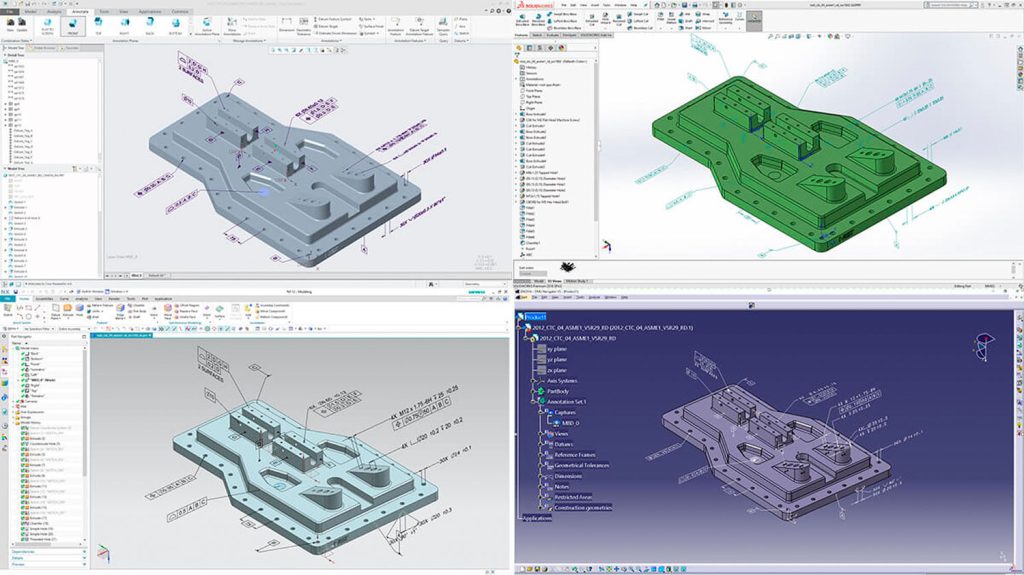
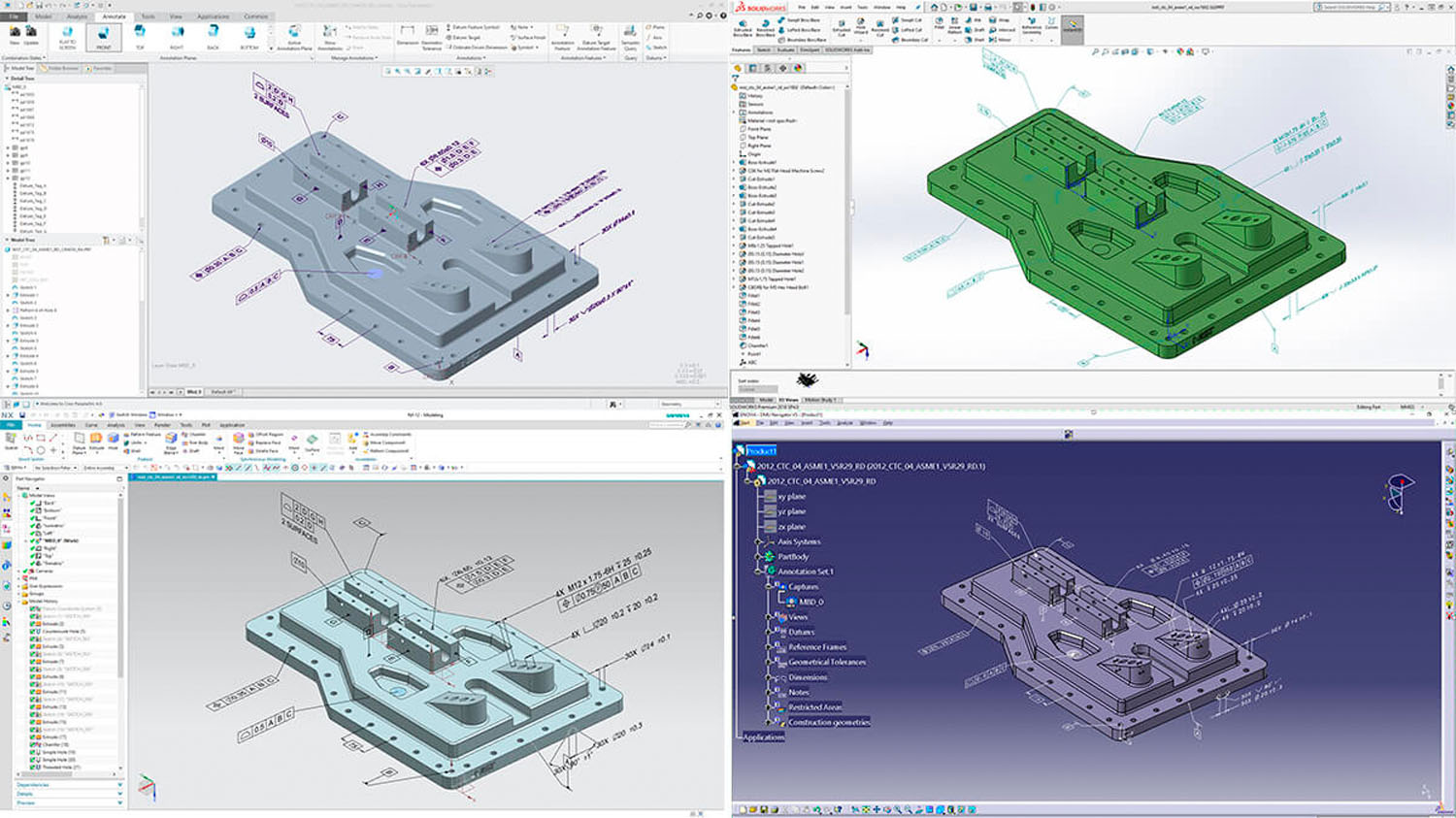
Available as a standalone product and as plug-ins for Creo, Solidworks and NX, plus an MBD interface for Catia, MBDVidia is focused on fully preserving complex PMI and geometry.
Engineered specifically for model-based definition (MBD) data fidelity and data verification, this CAD translator from Capvidia works hard on semantic PMI validation, ingesting native CAD data and pushing it out cleanly for downstream formats, including metrology.
Capvidia also offers a sister product, CompareVidia, which ensures that a translated file is an exact geometric match to an original customer file. This level of capability doesn’t come cheap, but MBDVidia has a well-stocked toolbox if you’re intent on taking data through the entire development process.
Core Technologie – 3D_Evolution – Price: £££££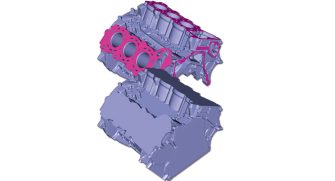
An enterprise-grade solution, this 3D converter is packed with tools and power. 3D_Evolution’s high-performance multicore batch processing and server clusters with scripting can process massive data volumes. Using its own independent geometry kernel and in-house developed interfaces, it can read, write and convert files, as well as validate/optimise 3D data across major CAD systems without needing native CAD licences.
Additional tools like Automated Data Healing fixes gaps, overlaps and twisted faces automatically to generate watertight models. Certified data quality checkers comply with VDA and SASIG standards. Elements like the Simplifier module allows envelope geometries to be generated and ready to be shared with stakeholders in seconds, stripping out any valuable IP and ensuring it doesn’t leave your company.
Datakit – CrossManager – Price: ££
Datakit’s CrossManager is capable of converting over 50 native or standard 2D and 3D formats in its standalone CAD data translation software.
Configurations can be adapted according to a user’s specific needs via plug-ins or integrated components.
As a dedicated desktop tool, CrossManager one of the easier tools for users to get to grips with, regardless of their experience levels, thanks to a simple user interface, drag-and-drop tools and batch processing.
Like many CAD translators, it functions without requiring users to have purchased the original, underlying CAD authoring licences. CrossManager’s modularity enables users to buy tokens for the exact native input and output combinations that they require, making this a mid-tier cost option that can be scaled up as needs dictate.
Elysium – CADfeature – Price: £££££
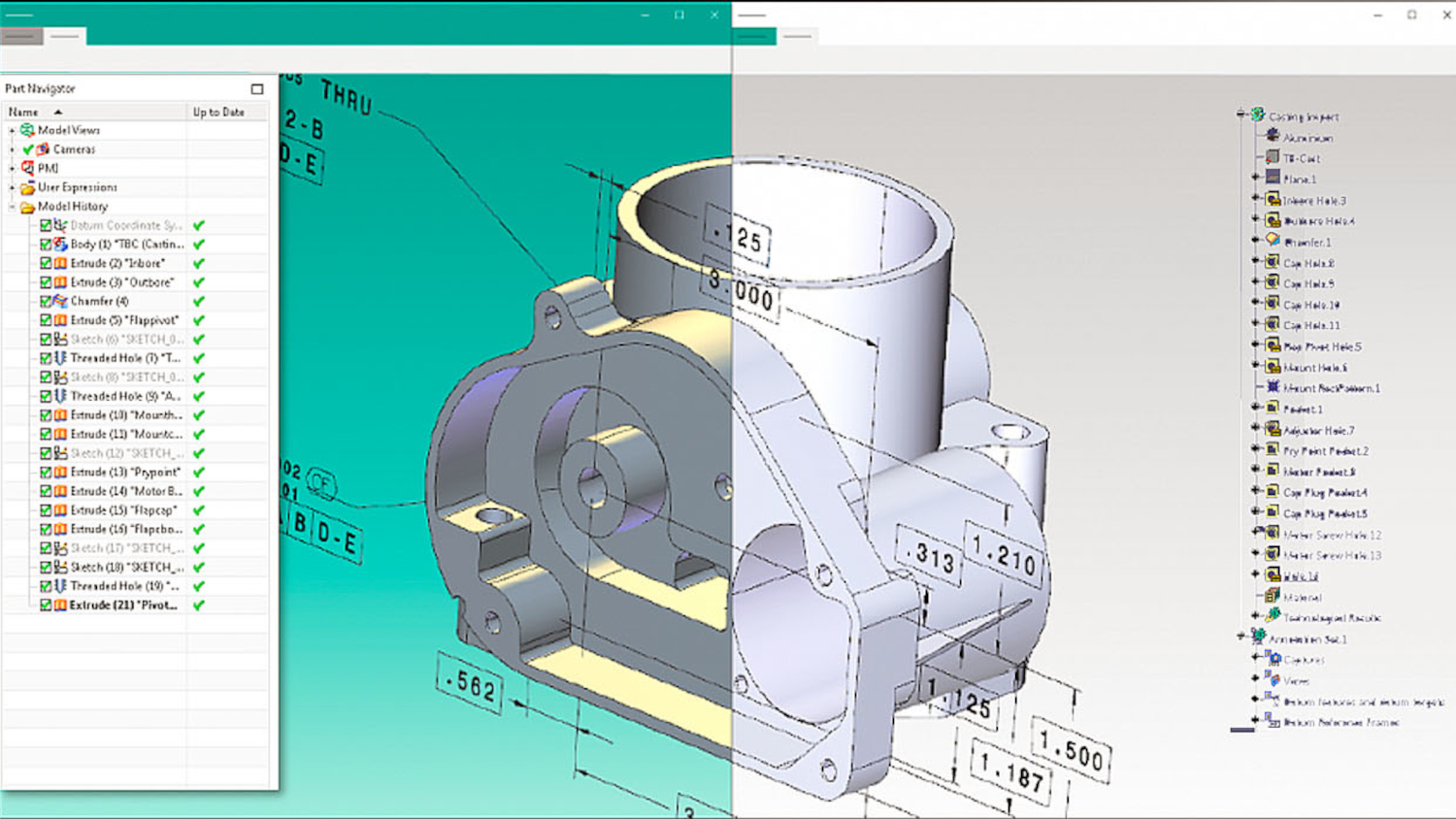
CADfeature is a high-end solution that translates a model’s authoring CAD history tree feature by feature, rather than baking it into static B-Rep blocks.
In this way, 2D-to-3D associative drawing links are preserved, so that dimensions update seamlessly and the output features reliable standard parts mapping.
Scheduling large batches using the multiprocess function allows users to migrate data during non-peak hours and adds a level of autonomy to the process.
QA Reports highlight geometry differences and accuracy of parts, assemblies and mass properties, with maximum deviation and notes generated.
Additionally, Elysium offers CADdoctor, a tool that focuses specifically on fixing, optimising and translating B-rep geometry across different formats.
ITI – Proficiency – Price: £££££ [requires a native CAD system licence]
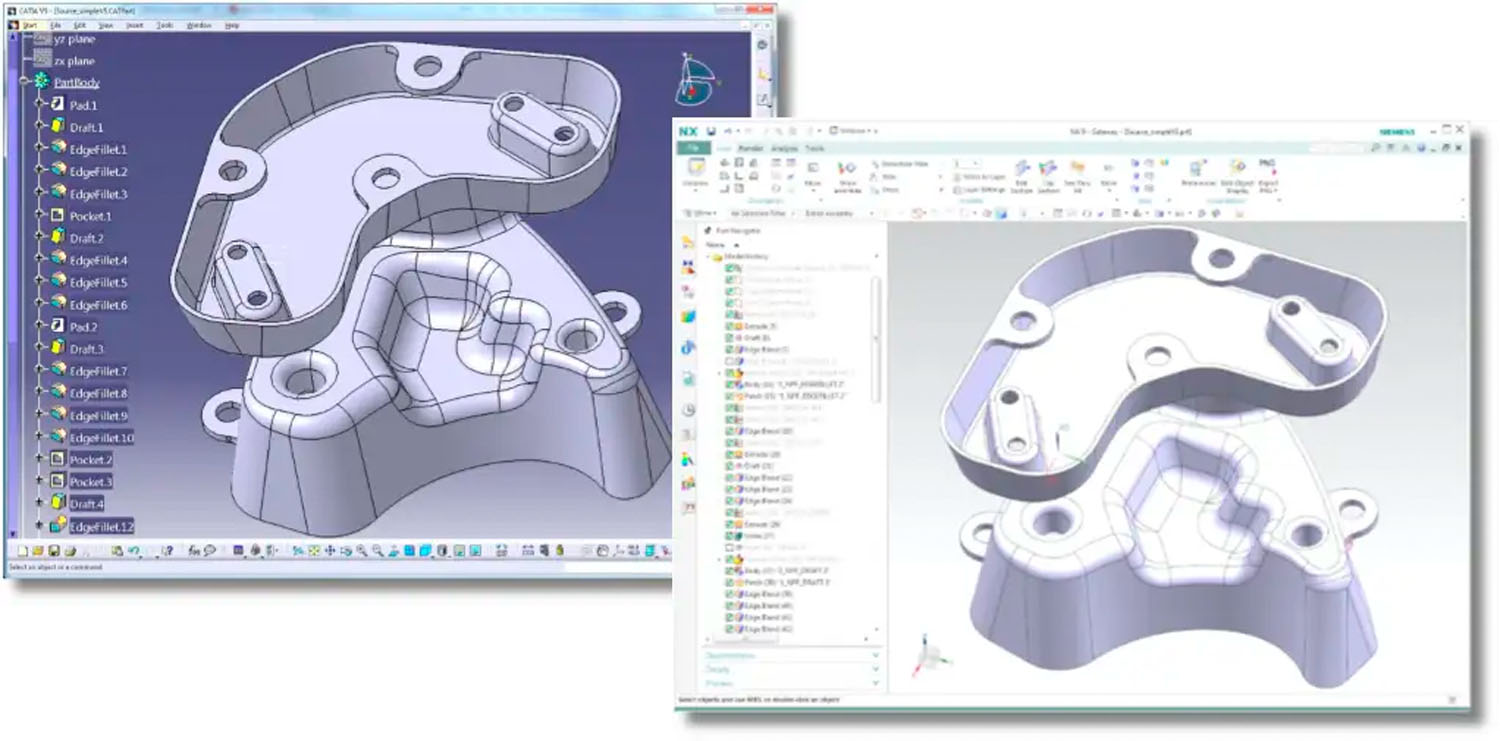
An enterprise-level translator with feature tree mapping, Proficiency promises up to 100% process automation as it tackles large jobs – for example, extracting the actual sketches, constraints and feature trees from one native CAD platform and rebuilding them in another.
Its integrated Legacy CAD Auditor removes modelling errors embedded in old source code, while offering source data auditing and automated conversion reporting, including feature validation and transaction records.
Proficiency offers support for PLM integration, while its web-based server pipeline allows it to scale across large organisations. However, the need for licensed native CAD software seats running concurrently in the background on the translation server will add to costs for buyers.
Kubotek – Kosmos – Price: £
For entry-level CAD translation, Kubotek Kosmos (formerly Kubotek3D) is a starting point that offers CAD reading, multi-CAD viewing and file conversion utilities.
As CAD translators go, Kosmos is a bit bare bones, mostly because it was primarily engineered as a foundation for software developers, rather than an off-the-shelf enduser application, but recent updates have seen it fleshed out.
Incorporating saved views and maintaining screen-facing notes from the authoring CAD helps support a digital thread in product development, while model-based definition (MBD) processes get a boost from machine and human-readable annotations as part of Kosmos’ growing product and manufacturing information (PMI) capabilities.
Tech Soft 3D – SpinFire Convert – Price: ££
Allowing for direct CAD-to-CAD translations using native vendor APIs, SpinFire Convert (formerly CADtranslate) is designed as a fast platform that bridges the gap between low-cost CAD viewers and high-end enterprise translators. If parametric data isn’t required, SpinFire Convert offers a reliable way to translate CAD files for downstream use.
Tech Soft 3D’s technical relationships with Dassault Systèmes, PTC and Siemens put it in good stead with their CAD packages especially, and its speed to batch process CAD data into lightweight formats will appeal to many. The SpinFire Convert API can also connect to your PLM system, allowing high-volume batch processing, driven from the PLM software.
TransMagic Pro – Price: ££
The ability of TransMagic Pro to read and write major 3D CAD formats is boosted by its automated geometry repair system, which stitches surfaces, closes gaps, patches holes and reconditions broken files into usable solid models.
Additionally, MagicCheck can provide a heat-map validation that compares the original versus translated models.
A new Layer Manager, meanwhile, enables users to find a particular layer faster, and then see what entities are assigned to that layer, while new customisable shortcut keys can speed up workflows. While cheaper than full native CAD writing, expert elements like MagicHeal geometry repair and MagicCheck validation quickly add to its TransMagic Pro’s seat value.
Built-in-CAD: Interoperability
Why wouldn’t I just use the interoperability option offered by my existing CAD package? It’s a good question, but this approach comes with some challenges.
When you use a built-in tool, the ‘foreign’ file is locked as a reference or imported as a dumb solid without a history tree. If you need to alter a part, typically it will need to be manually rebuilt from scratch.
However, that doesn’t mean such tools don’t offer value. For some users, their ability to bring in foreign files for reference when fitting into an assembly, or even make some geometry edits without the feature tree, will be perfectly adequate.
Autodesk Inventor – AnyCAD
Autodesk AnyCAD allows users to insert files from Solidworks, PTC Creo, Siemens NX, Catia and Solid Edge as native reference models. If the underlying supplier file changes, Inventor flags an update without breaking assembly mates or drawing views.
An interface maps any custom metadata (such as description, material or part number) from foreign files directly to Inventor. Backwards compatibility allows older versions of Inventor to reference files from a newer release.
Solidworks – 3D Interconnect
Dassault Systèmes has built Solidworks 3D Interconnect directly into its core kernel in order to handle multi-CAD integration. This enables users to drag and drop native .prt or .asm files directly into active Solidworks windows.
Geometry changes in a native model sees 3D Interconnect update a file in Solidworks while preserving all dependent features, sketch planes and concentric mates. Any foreign product and manufacturing information (PMI) properties are added directly into SolidWorks Bills of Materials.
PTC Creo – Unite Technology
PTC Creo Unite Technology lets users open Solidworks, Catia and Siemens NX files in their raw, native formats inside Creo assemblies. The Import function physically converts the file into a .prt object when editing is required.
If a non-native assembly component requires alteration, Creo isolates and converts the specific part and its immediate hierarchy, leaving the rest of the assembly untouched. Crossplatform collaborative extensions give users targeted ‘Save As’ formats for alternative CAD packages.
Siemens NX – Synchronous Technology & JT Open
Siemens NX can use the JT Open data format for fast multi-CAD mock-ups and its Synchronous Technology for modifying unparameterised foreign files with push-pull rules, co-planarity constraints and direct dimensioning without an underlying feature tree.
In addition, Siemens NX enables users to build up assemblies that contain variations of NX, Solidworks and Catia components for spatial and clearance checks and for interference analysis.
This article first appeared in DEVELOP3D Magazine
DEVELOP3D is a publication dedicated to product design + development, from concept to manufacture and the technologies behind it all.
To receive the physical publication or digital issue free, as well as exclusive news and offers, subscribe to DEVELOP3D Magazine here