
To help shape our 2026 Workstation Special Report, we surveyed over 200 design professionals on real-world workstation use. Thanks to everyone who took part. Here are some of the results, but how does your setup compare?
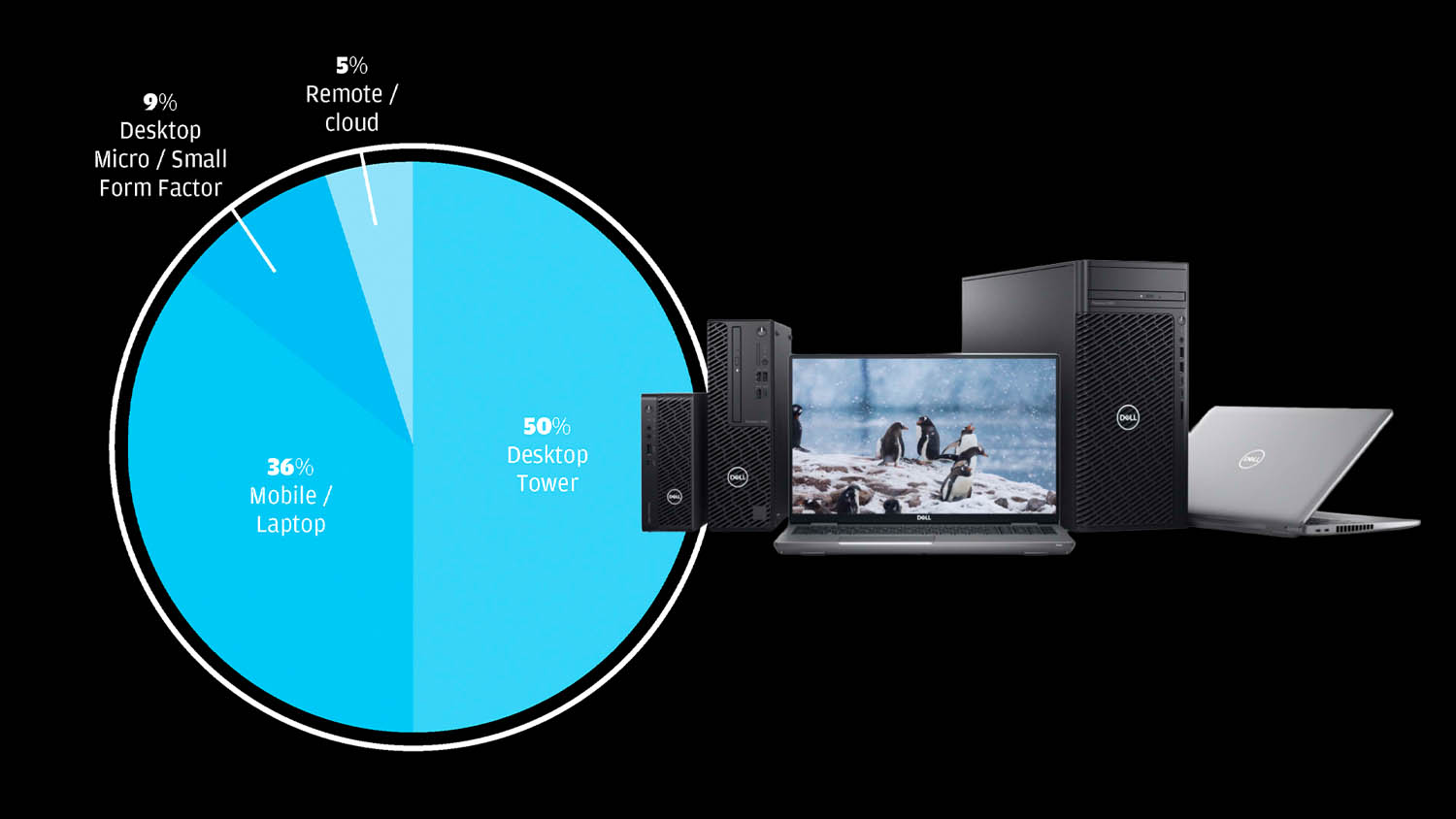
What type of workstation do you primarily use?
Desktop towers remain the most widely used form factor, reflecting ongoing demand for maximum performance and expandability. Mobile workstations account for over a third of use, underlining the continued shift toward flexible and hybrid working. Small form factor desktops represent a niche but notable segment, suggesting interest in space-efficient systems.
Meanwhile, remote and cloud-based workstations remain a small minority, indicating that they have yet to reach mainstream adoption.
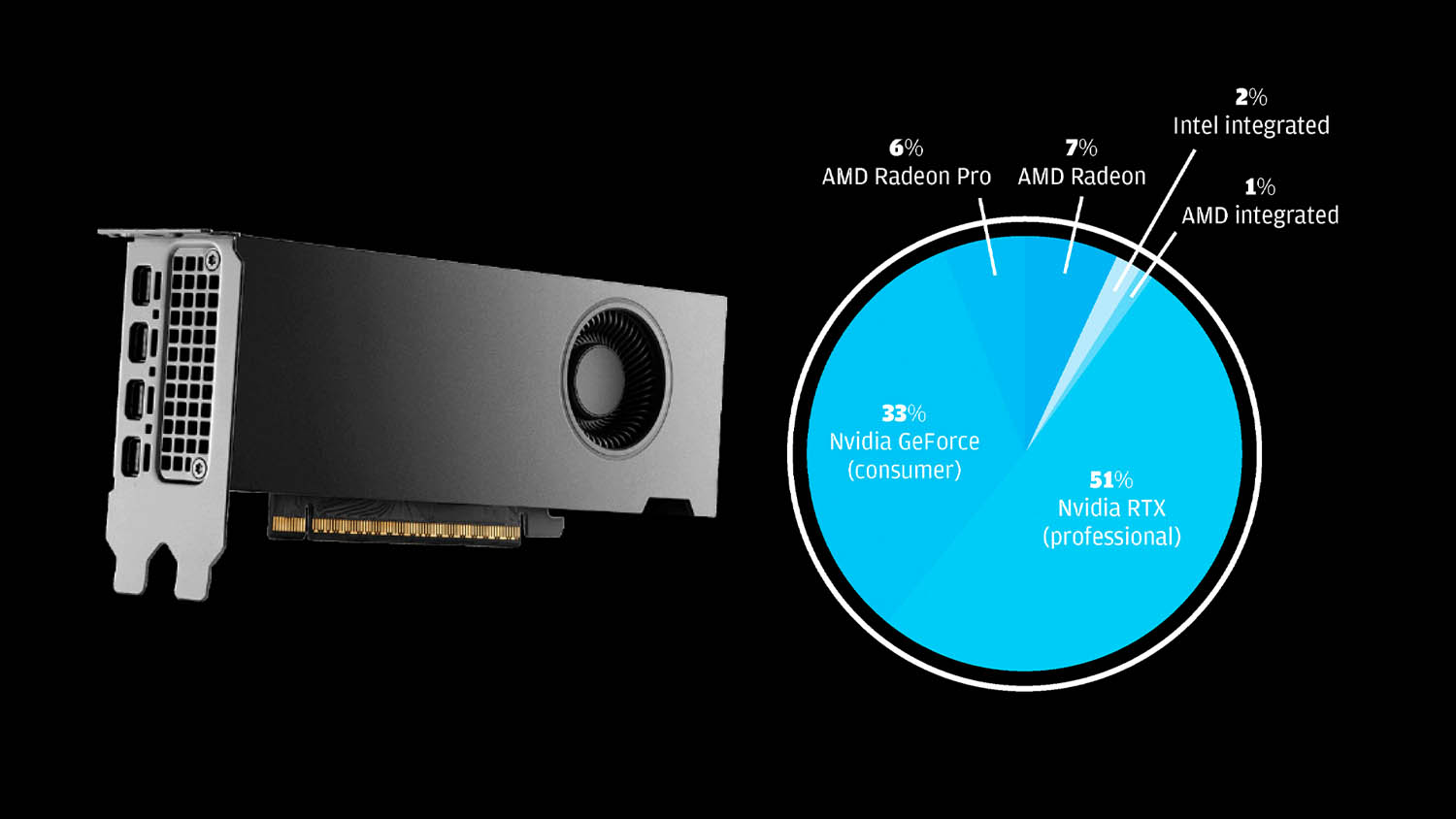
What brand of GPU do you have?
Nvidia RTX leads, reflecting its dominance in professional workstations and broad OEM availability. GeForce, primarily a consumer GPU, also has a strong showing, offering good price/performance for visualisation, mainly in specialist systems. It’s not surprising to see Intel integrated’s tiny slice, while for AMD integrated we’ve yet to see the impact of its impressive new ‘Zen 5’ chips, including the Ryzen AI Max Pro, which is currently offered by only a few OEMs, mainly HP.
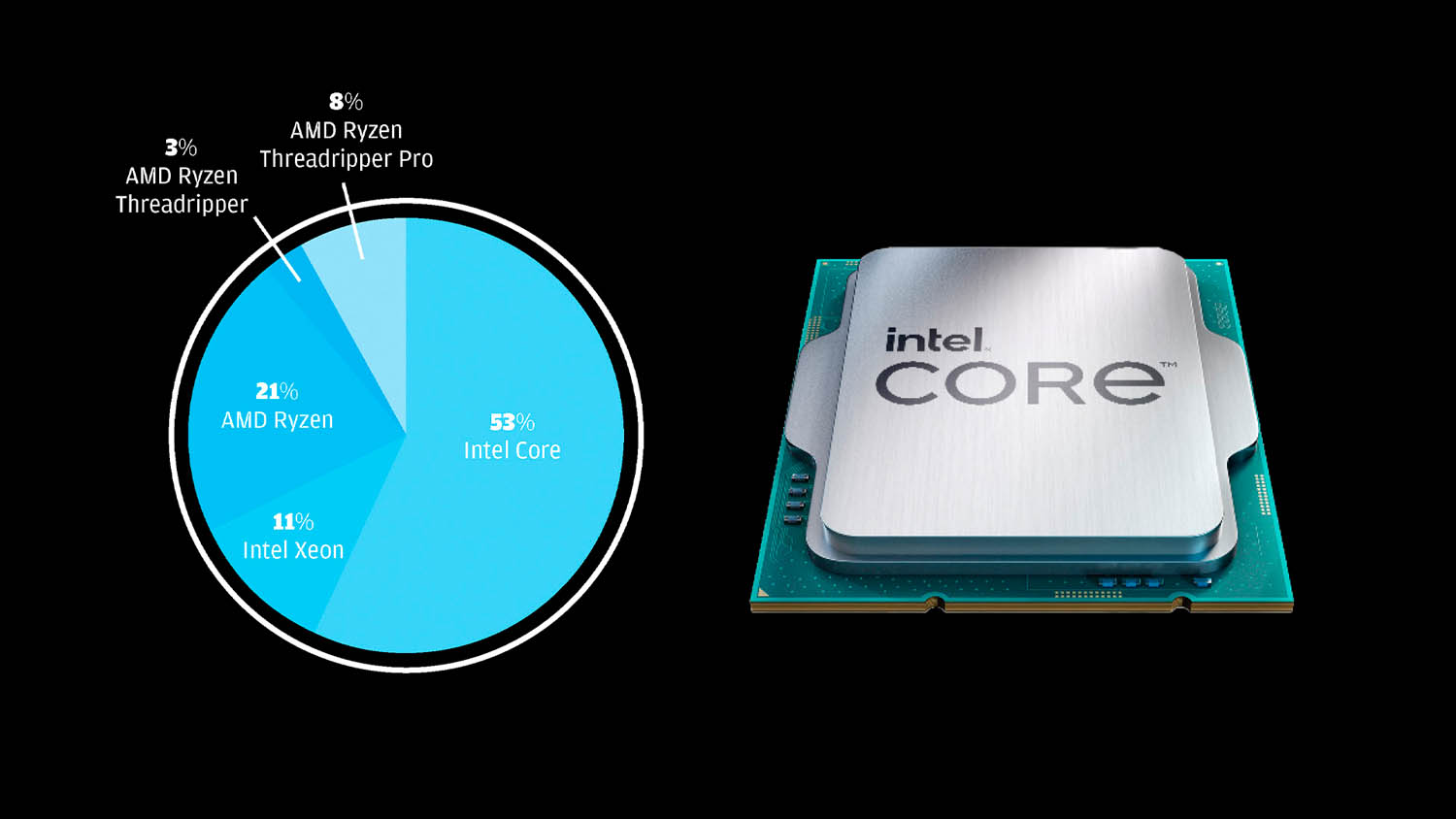
What CPU do you have?
Intel Core continues to dominate, but this is not surprising considering it offers the best performance for CAD. Intel Xeon still plays a role in more enterprisefocused workstations, though its share is relatively small. AMD shows a strong overall presence, with Ryzen accounting for a fifth of systems, despite very limited availability from the major OEMs. Higher-end AMD Threadripper (Pro) systems remain niche but important, serving users with extreme compute, memory, and I/O requirements that go beyond mainstream workstation needs.
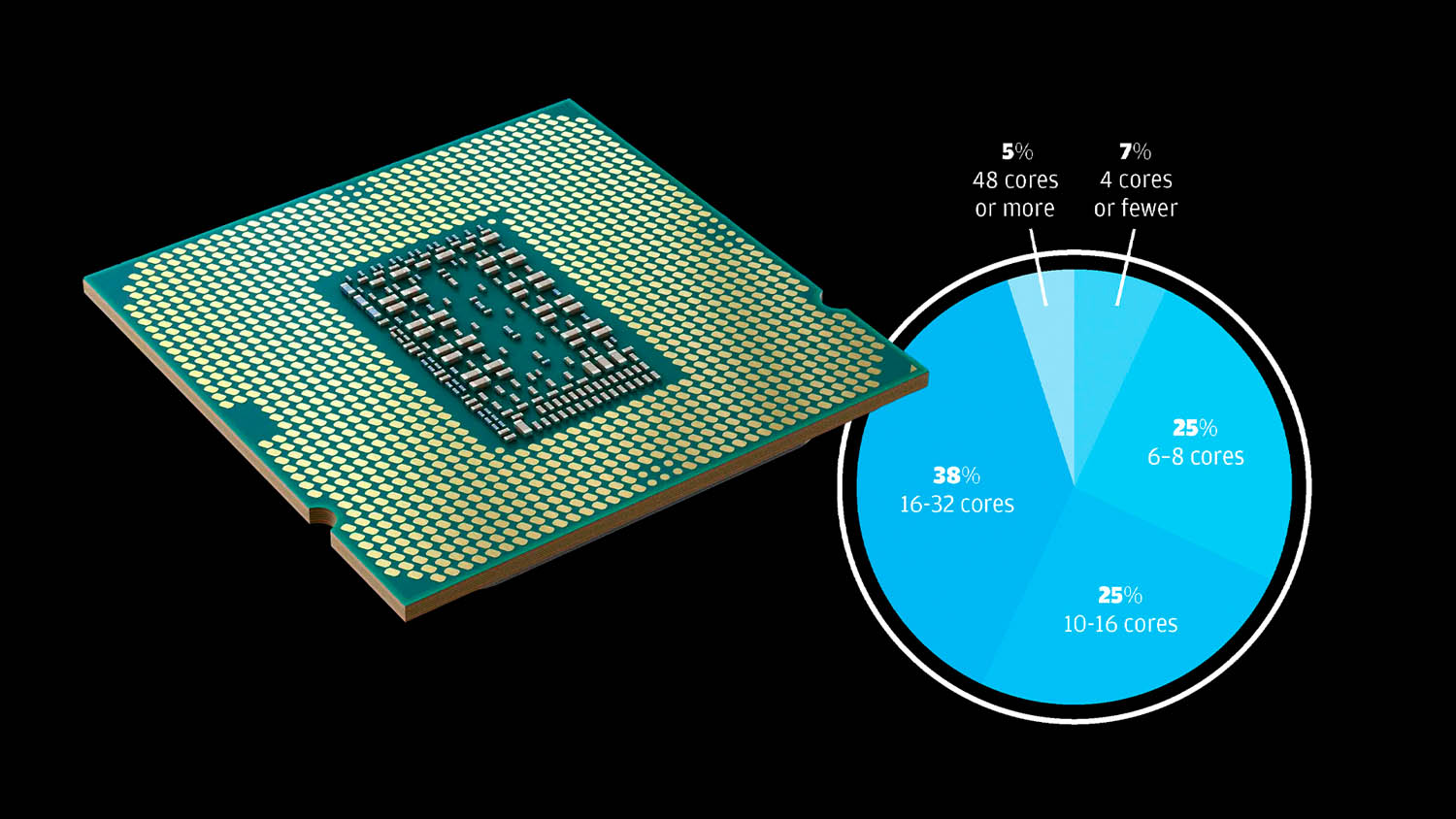
How many CPU cores do you have?
Most respondents use mid-to-high core count CPUs, reflecting the dominance of Intel Core. However, buyers may not be choosing these chips specifically for their cores, as they also deliver the highest clock frequencies, which is critical for CAD. Systems with 6–16 cores remain popular, balancing performance and cost. Very low core counts are rare, likely indicative of ageing workstations, while ultra-high core counts point to specialised use cases such as high-end visualisation and simulation.
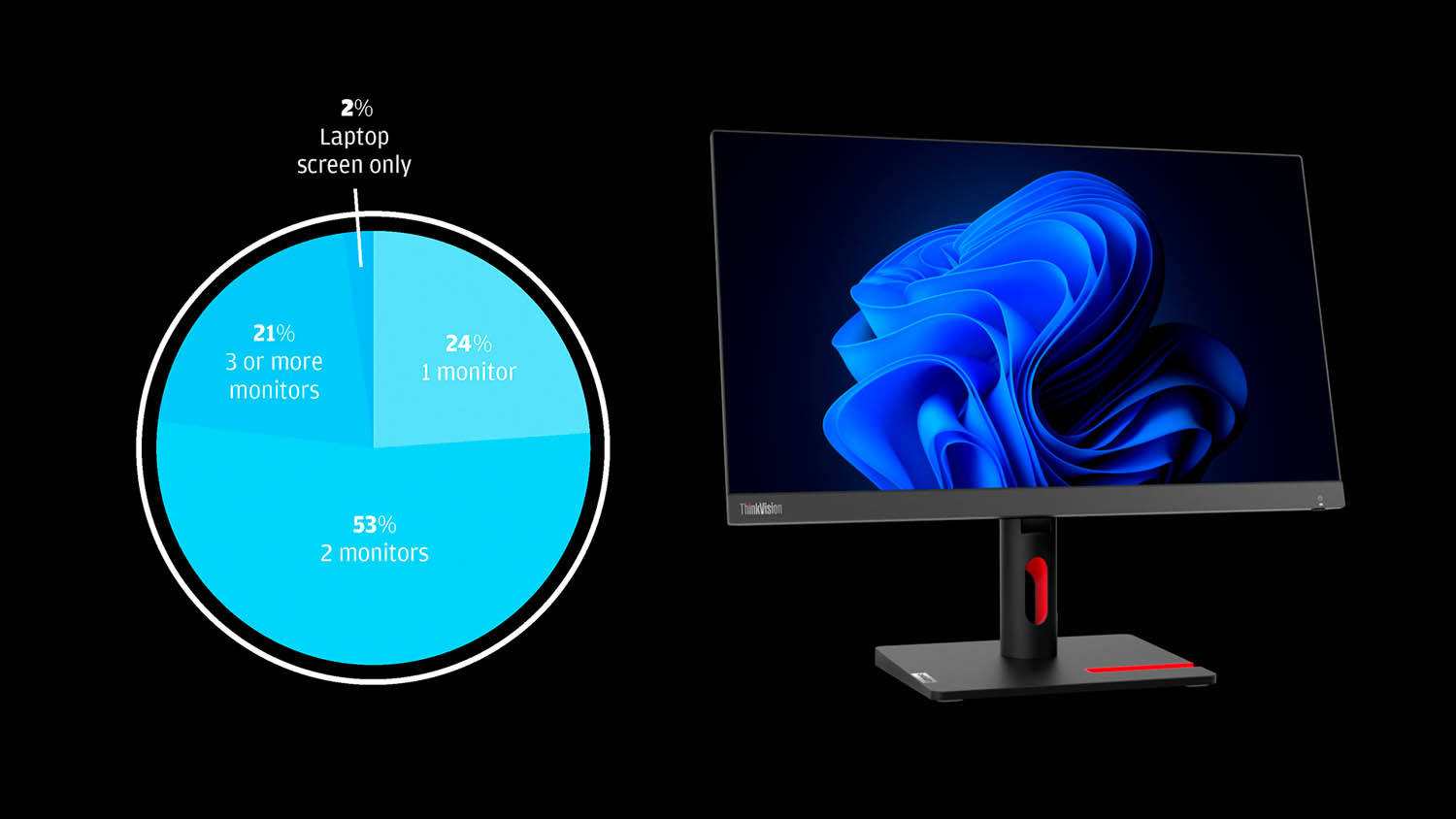
How many monitors do you use?
Dual-monitor setups dominate, supporting workflows like modelling on one screen and reference apps or visualisation on the other. Single-monitor setups remain common, used by nearly a quarter of respondents, while three or more screens indicate more complex or immersive workflows. Very few rely solely on a laptop, showing most professionals prefer larger, dedicated displays for detailed design work.
What resolution is your primary monitor?
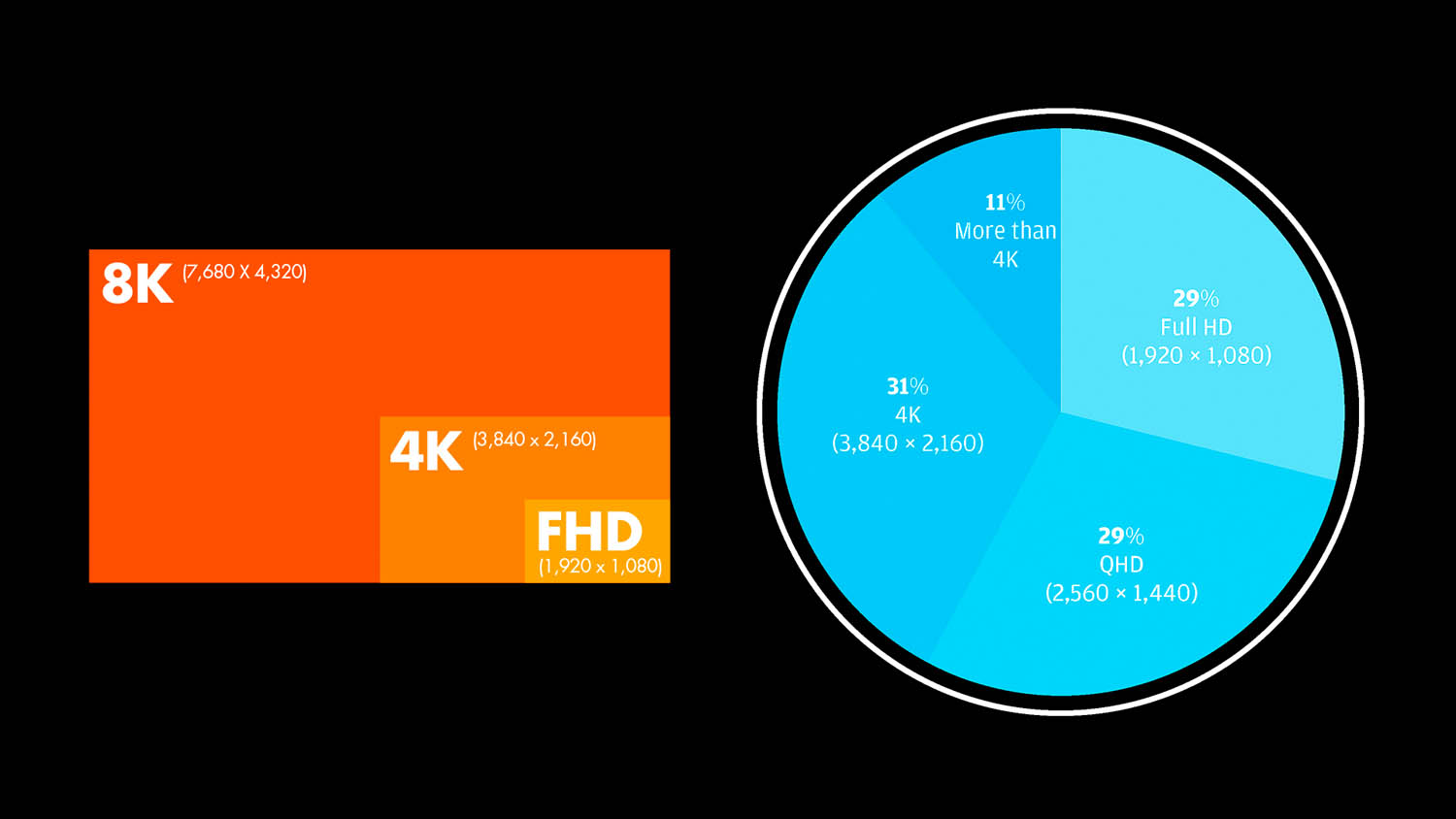
Monitor resolutions are fairly evenly distributed, with 4K leading slightly, reflecting demand for detailed visualisation and design work. A smaller segment uses resolutions above 4K, likely for specialised workflows requiring extreme detail. Overall, most professionals prioritise clarity and workspace efficiency, though FHD, still common in many laptops, remains widespread.
What are the biggest performance bottlenecks you face?
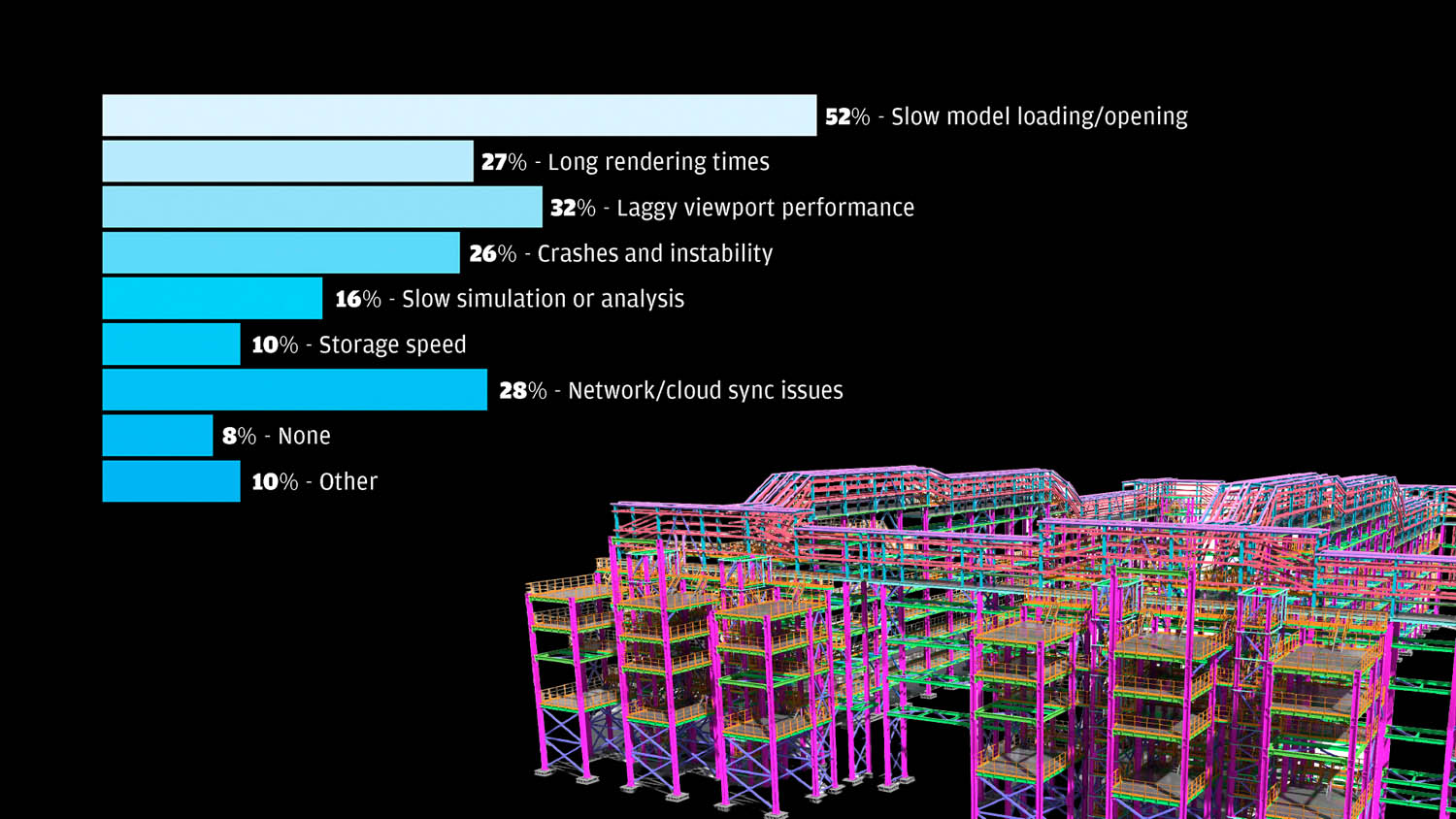
Slow model loading, often dictated by single-threaded CPU performance, is the most common performance bottleneck, affecting over half of respondents. Viewport lag and long rendering times affect around a third and a quarter of users, while network and cloud sync issues impact more than a quarter. Crashes, slow simulations, and storage limitations are less common. Only a small fraction report no issues. Notable “others” include single-core-limited applications, drawing production, and poor interface design.
How much system memory do you have?
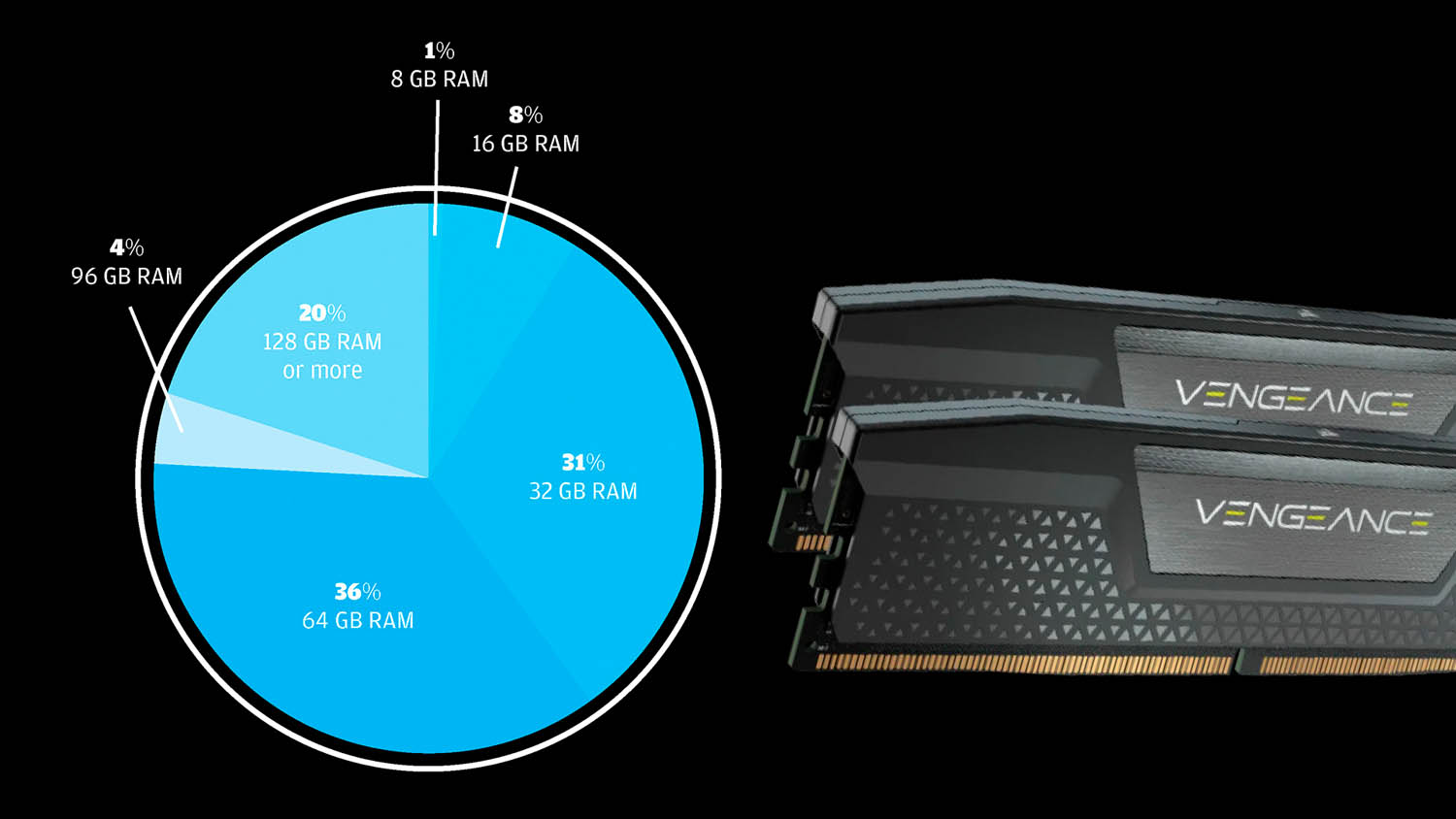
Most workstations feature 64 GB of RAM, reflecting the growing demands of CAD, visualisation, and simulation workflows. 128 GB or more is used by a surprisingly large minority for highly complex tasks. 16 GB is rare, probably indicative of ageing systems that may well benefit from a RAM upgrade. Our heart goes out to the two respondents who suffer with 8 GB, which is barely enough to load Windows, let alone run CAD. Overall, the data shows design professionals prioritise ample memory to support performance and multitasking.