
With no-code workflows and streamlined data pipelines, Unity is looking to simplify how firms build, share, and scale interactive 3D experiences, writes Greg Corke
Creating interactive 3D experiences has long been regarded as the domain of technical specialists — coders, game developers, and those skilled in customising real-time engines like Unreal and Unity. In product design, manufacturing, automotive and AEC, this technical barrier has stalled countless ideas before they could become usable tools.
Sarah Lash, GM & SVP of Industry at Unity, calls this “POC purgatory” — the place where promising ideas never progress beyond the initial proof of concept.
“I’ve had conversations with people that go like, ‘Yeah, we’ve got 60 requests for projects in queue, and we have enough bandwidth to do five of them,” she says. But there’s an obstacle that affects many more firms, “If they don’t have a C# developer, how are they getting started?”
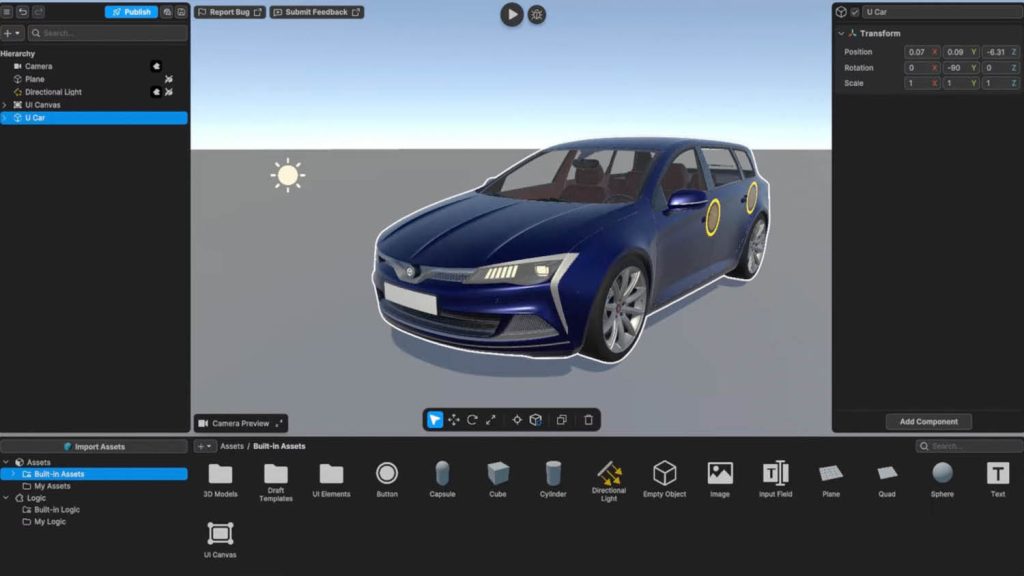
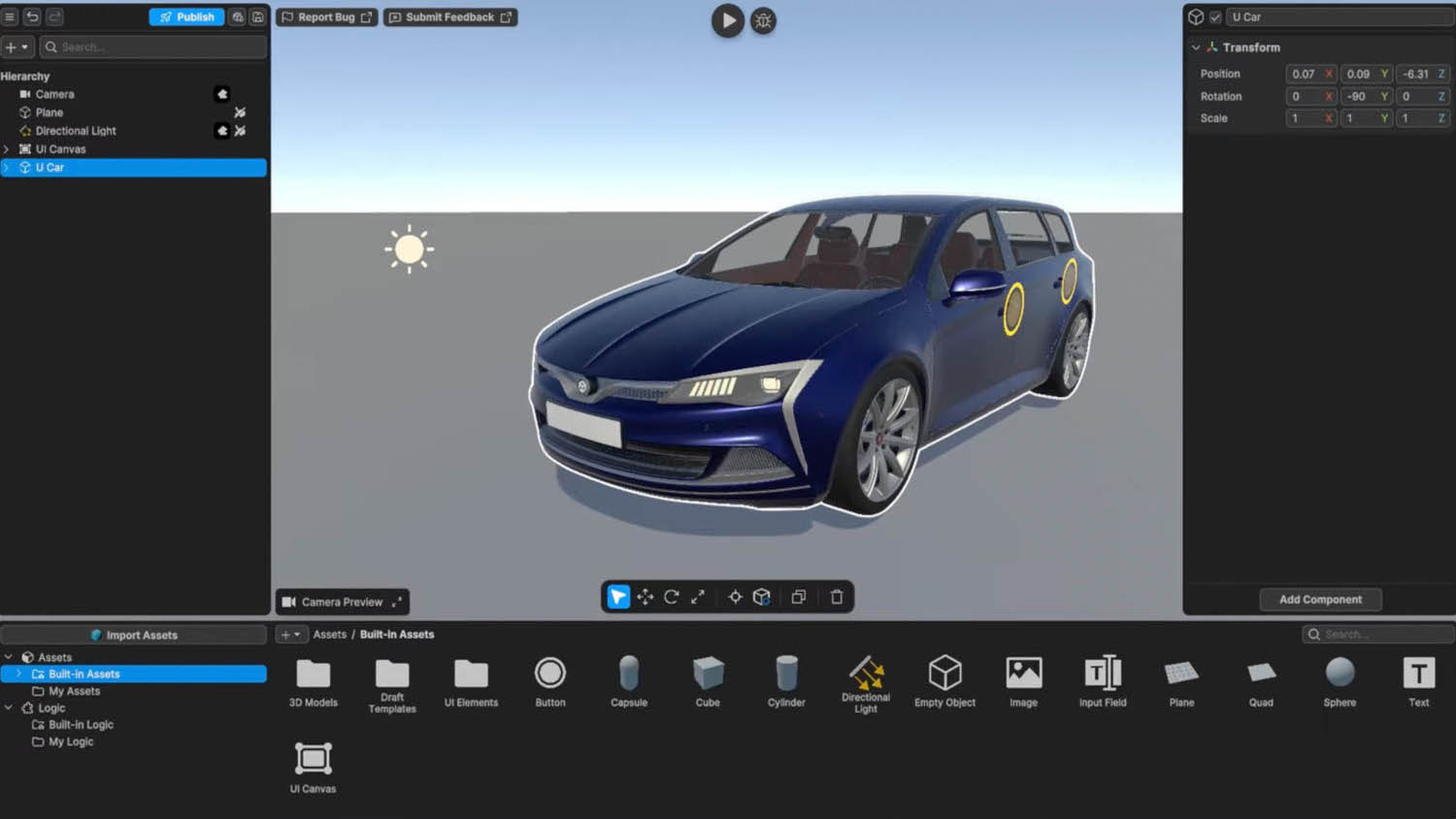
Unity Studio, now out in beta, aims to change that dynamic, offering an intuitive, web-based platform designed to let “anyone” create interactive 3D experiences without having to write a single line of code.
In its simplest form, this could be an interactive 3D viewer where users click elements in a CAD or BIM model to reveal more information, or a web-based product configurator where customers choose options, colours, and materials and see the 3D model update in real time.
Unity Studio can also be used to power training applications that animate 3D models to guide engineers through servicing procedures, collaborative design review tools, giving non-CAD users real-time access to large models, or construction-sequence simulations that help contractors visualise each stage of a build.
Unity Studio is essentially a cut down version of Unity Editor, the main workspace where users create, organise, and manage 3D applications, including games. However, unlike the full Editor, Unity Studio runs in a browser and is built around a simple, drag-and-drop visual interface.
Unity Studio features a visual scripting system called Logic that lets users add behaviours and interactivity to an experience, instead of having to write code
“It gives the ability to start something in a Unity-like environment, whether you’re a designer, a trainer, or project manager, and help bring some of those ideas to life,” says Lash.
Unity Studio features a visual scripting system called Logic that lets users add behaviours and interactivity to an experience, instead of having to write code. It can be used to trigger actions based on events (such as when a user clicks a button or selects an object), control animations, adjust scene lighting or combine multiple actions to create more complex behaviours.
Applications created in Unity Studio can either serve as a launchpad for further development in the full Unity Editor or be published straight away.
Lash recalls an example where a training subject-matter expert from a large printing company used Unity Studio to create an immersive 3D animated training environment to show users how to replace the industrial cartridges — a process that was previously explained using PowerPoint.
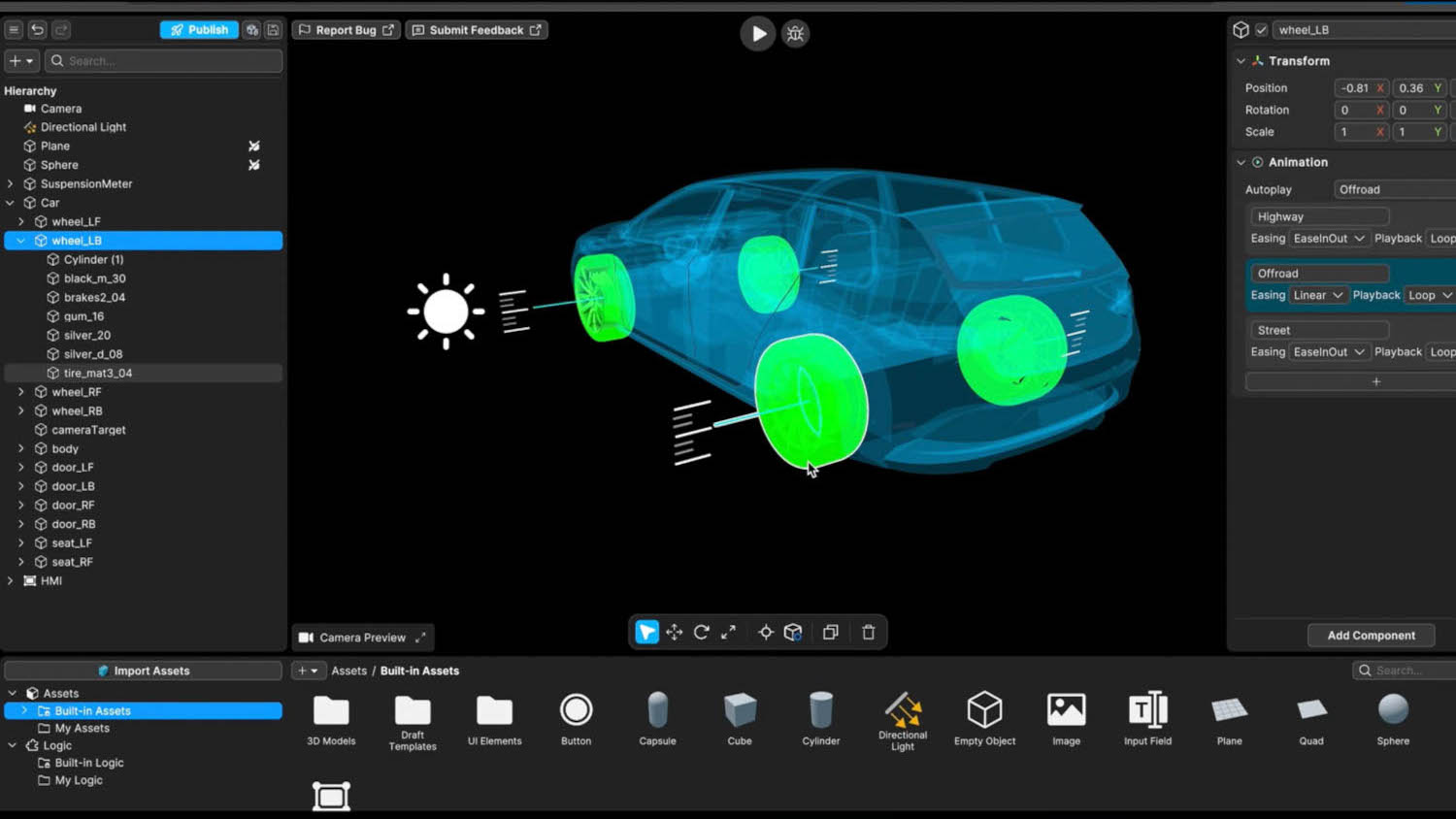
Another example includes an automotive company, where a designer with no prior Unity experience created a prototype of a Human-Machine Interface (HMI) for a car. The goal was to visualise the suspension travel of each tyre. Taking a sketch from collaborative design platform Figma and an optimised wireframe CAD model of the car, the designer added simple animations to demonstrate the movement.
Unity Studio seems like an obvious fit for smaller firms that may never have considered creating their own 3D experiences. But, as Lash points out, even the most forward-thinking organisations can have thousands of architects yet only a handful with the necessary C# skills.
This is true at BMW, where Markus Herbig, XR IT specialist admits that Unity Studio has created significant interest within the company, from both CAD users and project managers. “There’s a lot of people that don’t know how to handle a game engine, they don’t know how to programme C# or even C++, so Unity Studio gives us a huge benefit on creating new concepts, especially on the HMI side.
“If you have an idea, you just go to Unity Studio, you create it, and you can share it directly with somebody who maybe has some more influence,” he says. In other words, it’s about communicating ideas clearly to help decide which are worth pursuing.
With Unity Studio it’s also very easy to publish content, as Daniel Reichert, director, Unity Studio explains, “You don’t have to worry anymore about build settings or where do I host this?” he says. “You just click one button, you get a URL, and you can send it via email, via Teams or via Slack, to anyone in your company to check out the project.”
Unity is already working on new features, and there are plans to add real time collaboration. “This will enable multiple people to work on the same problem at the same time,” says Reichert. “In combination with commenting, this brings workflows that you know from the web browser, from tools like Figma, directly to the 3D editing world.”
AI powered capabilities are also on the horizon. The software already allows users to take a basic scene and upscale to make it look like a high-end render. While this is standard fare in many 3D applications these days, Unity is also working on a feature to generate logic dynamically —a capability that could, in practice, deliver substantial productivity gains.
At present, Unity Studio only allows applications to be published to the web, whereas the full Unity Editor lets you publish for Mac, Windows, mobile and XR platforms. Expanded support isn’t on the roadmap yet, but as Lash told DEVELOP3D, it is something currently under discussion.
All about the assets
For more advanced users, there’s Unity Industry, a suite of tools for developing and managing industrial applications across sectors such as manufacturing and AEC.
One of the biggest challenges facing any firm wishing to develop 3D experiences is access to data. “A lot of times [assets] are locked in silos or in different departments, or you need access to that type of [software] product in order to open a BIM model,” says Lash.
“We can only scale on the creation side if everybody’s working from the same foundation. We can only bring that to life if we know where all of that data lives.”
In Unity Industry this is handled by two tools – Unity Asset Transformer (formerly known as Pixyz Plugin) and Unity Asset Manager.
Unity Asset Transformer can ingest over 70 different file types, turning complex heavy CAD, BIM, 3D, reality modelling and other file types into lightweight meshes. Users have full control over mesh size and quality, so data can be optimised to maintain performance in different real time experiences on different target devices, across mobile, desktop, and XR.
Meanwhile, Asset Manager is a cloud-based digital asset management (DAM) system that stores all of this data and makes it discoverable for anybody across the business so it can easily be brought into Unity Editor or Unity Studio.
“What could take weeks of converting these file types and having to email them back and forth and then check you’re working on the right version, is now happening in seconds and minutes,” says Lash. “Engineers, designers, internal partners, they can all work from the same live asset now. The more centralised they are, the more you can do with them, long term.”
Japan-based construction company Obayashi has built an entire 3D collaborative application, Connectia, around this workflow, transforming complex CAD, BIM, and point cloud datasets into ‘ready-to-use’ assets. Asset Manager automatically handles the data conversion and version control, eliminating the need for manual conversion.
BMW has also recently turned to Asset Manager and Asset Transformer to overcome the persistent challenges it faces when managing and accessing the digital assets critical to developing virtual experiences. The Unity tools form the backbone to BMW’s 3DMine, a comprehensive 3D asset management platform designed to streamline access by centralised data in a private cloud environment.
As Markus Herbig describes, the process of building virtual experiences was like “chasing a ghost” with teams constantly asking “what assets do we have? Where do we get the car from?” “
You’re kind of lost in this huge maze, and you don’t know where they are. You don’t see the assets,” he says. This lack of visibility made it difficult for BMW’s creators to efficiently find and utilise the necessary resources, often repeating the same processes again and again. “[With 3DMine] each use case gets the right data in the right format at the right time,” he says.
Data prep – push/pull
Unity has been working to bring more automation to file optimisation and delivery, helping ensure that users have access to the right data at the right time.
A new tool called Pipeline Automation allows users to connect the Asset Manager to Product Lifecycle Management (PLM) systems like Siemens TeamCenter, or PTC Windchill, and other data sources, and create automations based on events, schedules or API calls.
Unity’s roadmap for pipeline automation focuses on giving users the flexibility to build pipelines however they want — whether through custom scripts, rule-based tools in the editor, or in the future AI.
“You can retrieve your CAD data from a PLM system and Pipeline Automation automatically converts this CAD data into usable real time 3D data, so it can be used downstream in real time 3D applications,” says Simon Nagel, staff solution architect, Industry at Unity. “Pipeline Automation can make sure that changes in the PLM system are automatically brought through.”
At the recent Unity Industry Summit in Barcelona, Matthew Sutton, senior manager of EMEA solutions engineering at Unity, shared an example of a Skid Loader Assembly model built in Solidworks. Changing the number of teeth in the bucket assembly and syncing it with the PLM system automatically triggers a pipeline automation, allowing Unity to retrieve the updated files and prepare the data for the Unity runtime. Importantly, the system can be set up to manage complex assemblies and their dependent sub-assemblies and parts.
The big model challenge
For viewing huge datasets, such as those used in automotive or digital twin applications, Unity applies 3D Data Streaming – not to be confused with pixel streaming, where graphics are processed in the cloud and the pixels are then streamed to an end point.
With Unity’s 3D Data Streaming the client device intelligently fetches only the necessary portions of 3D assets, such as specific levels of detail, textures, or regions of a model required for the current view. Everything is handled automatically – no manual data prep is required.
Biopharmaceutical company AstraZeneca is using the technology to review a colossal factory model with 437 million polygons and 1.3 million parts in XR on an untethered Meta Quest 3 headset.
“It’s possible to zoom in, take a look at a specific detail, and data streaming will just load the high-quality version of this completely automatically,” says Nagel.
A time for reflection
Back in 2019, Unity launched Unity Reflect, a commercial design-review tool for AEC built around Revit and other CAD/BIM applications such as Rhino and SketchUp.
What made Unity Reflect stand out was its unusually deep integration with Revit — deeper than the standard Revit API allowed — enabled through a close partnership with Autodesk. This meant BIM models could be synced in real time, complete with both geometry and metadata.
The product showed real promise, but development slowed, and Unity Reflect was eventually retired a few years later. Even so, many of the design / review workflows it championed still live on.
Today, they continue through the Unity Industry Viewer Template, which helps users of Unity Industry build custom, cloud-connected collaborative viewers for exploring and sharing 3D models in real time. The template provides development teams with an optimised foundation for streaming assets directly from Asset Manager and enabling multi-user collaboration across desktop, mobile, and XR.
At the recent Unity Unite conference, Unity demonstrated how Asset Manager can serve as a collaborative hub for large AEC models, including those from Revit and Navisworks. The key takeaways: massive BIM datasets can be instantly shared with multiple stakeholders, streamed into a web browser for viewing and annotation on modest hardware, all while preserving access to the rich metadata normally locked inside the original authoring tools.
Unity’s latest initiatives with Unity Studio, Asset Manager, and its expanding automation pipeline signal a clear shift in how interactive 3D experiences can be conceived, created, and shared
Conclusion
Unity’s latest initiatives with Unity Studio, Asset Manager, and its expanding automation pipeline signal a clear shift in how interactive 3D experiences can be conceived, created, and shared. By lowering the barrier to entry and streamlining access to data, Unity is opening the door for far more people to participate in building, or contributing to the development of, real-time 3D applications.
But accessibility alone won’t guarantee adoption. Unity still must overcome long-held perceptions. For many firms, game engines remain associated with complexity, specialist skills, and steep learning curves. In the AEC sector, Unity Reflect once provided an accessible on-ramp into deeper customisation; without it, Unity will need to work harder to show that its tools aren’t just for developers.
Pricing will also be a key factor. While final details have not been confirmed, Lash told DEVELOP3D that Unity Studio will cost significantly less than Unity Industry, which starts just under $5,000. The package will likely include the full Asset Manager capabilities, but only selected features of Asset Transformer.
Looking ahead, AI-powered capabilities such as dynamically generated logic could play a crucial role in simplifying customisation even more and further reducing the skill threshold. If Unity can pair these advances with clearer messaging and industry-specific guidance, it has a genuine opportunity to reshape how real-time 3D is adopted across manufacturing, automotive, and AEC — not just by experts, but by anyone with an idea worth exploring. www.autodesk.com
This article first appeared in DEVELOP3D Magazine
DEVELOP3D is a publication dedicated to product design + development, from concept to manufacture and the technologies behind it all.
To receive the physical publication or digital issue free, as well as exclusive news and offers, subscribe to DEVELOP3D Magazine here