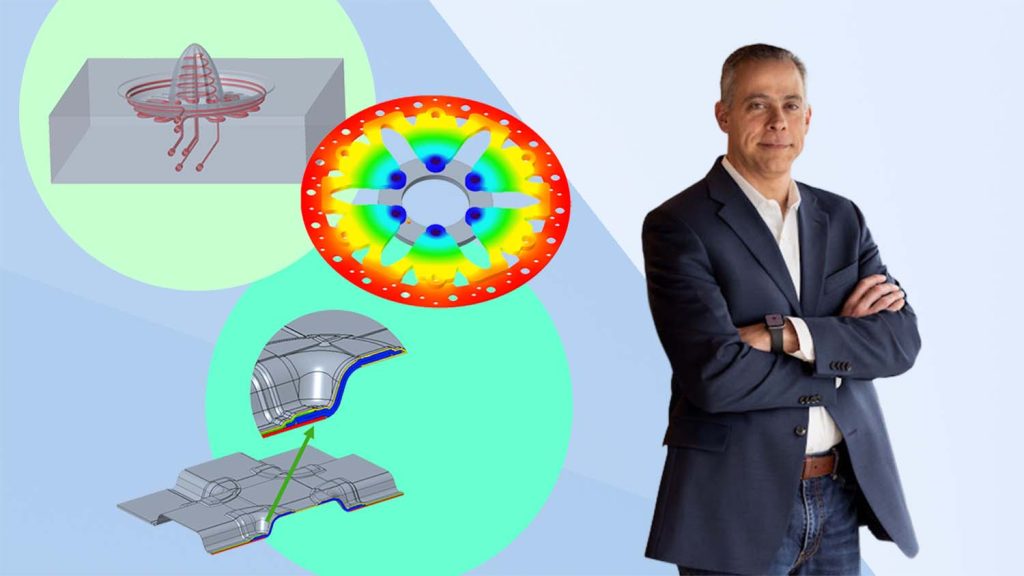

We spoke to Brian Thompson, division vice president and general manager, CAD Segment at PTC, about the new Creo 12 release, its highlights, why its composites tools are challenging to lead the segment, and where AI fits into the equation
DEVELOP3D
Productivity is at the heart of this release, with greater integration between design, simulation, manufacturing. Are you seeing users expanding to cover more bases – designers doing more simulation for example – or is it more to enable an entire team to work in the same environment?
Brian Thompson
It’s an intersection of both points. What’s happening in industry right now is customers are looking at the flow of digital information from the very beginning of their development programs, all the way out into manufacturing, and what they’re realising is there are places along the way where manual steps or third-party technologies are not particularly well integrated into their digital thread.
What’s happening is those things are coming back into Creo. That’s the key trend. It’s different users: It’s manufacturing engineers. It’s people that do just the design work. It’s people that do design work and simulation. It’s people that do mould design. It’s different personas, but they’re all coming back into Creo for tasks related to product development.
I’ve had three customer visits just this week where we were talking about this. We’re seeing customers re-entrench into the product because they love how the product development dynamic changes when all of that is deeply integrated into Creo, and everything just stays up to date.
Updates and new features for composites design and production feature highly in the new release; is this being driven by wider use of these materials across your users, or is it to fit with PTC targeting specific sector growth?
 Our initial foray into composites in Creo 10 was about the fact that composites are now used more broadly across major industries.
Our presence in the federal aerospace and defence vertical would have probably justified that investment anyway, but the trends that we’re seeing in industrial markets and automotive markets made it crystal clear.
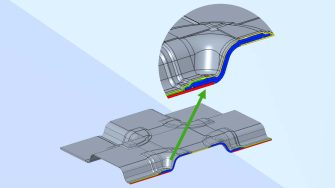
We have some truly excellent relationships with some customers that do composite design, who have let us peek behind the curtain competitively to see what’s out there in the market. We felt like there were some serious gaps and when we got started with Creo 10, we weren’t 100% sure exactly how to solve those gaps, but we have kept at it to the point that we believe Creo 12 is now the most capable composite system in the world.
Users are now able to build structures in Creo with full fidelity composite layups – all the detail of how all the plies drop off – to that level of detail. You might be able to build it in other systems, but it would take you three-, four-, five-times longer. It is that good – and the underlying technology is unique to PTC.
We built unique geometric processing algorithms specific for composite parts that we have not seen anywhere. It creates a tremendous amount of leverage for us, from an associativity point of view and the way we connect the whole design from the layup all the way out into the manufacturing domain. It’s a remarkable technological achievement!
The relationship with Ansys for simulation continues in this release, can you elaborate?
The common strategy between PTC and Ansys is to get more simulation being done earlier in the development process, so we remain diligent in getting the advanced Ansys technology into the hands of engineers in a way that allows them to adopt it without having to become simulation experts.
Creo 12 offers the addition of very easily being able to couple thermal and mechanical simulation in one go, which is very important because it helps users readily understand associated mechanical stresses. The conjugate heat transfer capability has been around in simulation for a long time, but now it’s dead simple to set up and execute inside Creo 12; you don’t have to be an expert in simulation to get results.
The key is to make simulation less daunting and easier to adopt for a design engineer who has never used it And it makes it easy for the simulation experts at the company to allow it to happen, because they know the Ansys technology behind it.
Another good example is that we now have automatic contact detection and setup at the assembly level in Creo, with Ansys technology doing that for the entire assembly. What we’re doing with it is automatically detecting the simulation at the bolt joint locations. And, it’s super cool! The engineer doesn’t have to worry about setting up special contact features in the simulation domain. They just know that they’ve got a bolted assembly built correctly from a modelling point of view. Boom! – they’re getting load results at the assembly level.
There’s no big hype around AI in this launch – can you tell us more about what’s happening behind the scenes?
Our customers tell us they don’t want AI for the sake of AI. They are looking for productivity gains, whether through AI or through just really innovative CAD. So, at PTC, our initial strategy is to use AI when it can improve the user experience and create customer value across engineering, manufacturing and service.
Creo 12 contains what I would call AI in infrastructure; although there’s no technology visible to customers yet, it’s a very active area of development for our teams.
In Creo 12, we’ve also specifically added thermal optimisation to our generative design capabilities, which have AI elements to them, but it’s not the mainstream AI people have been getting excited about. It’s not large language model AI, it’s more like generative algorithms for creating geometry, but now you can do structural, thermal, and modal in our generative extension.
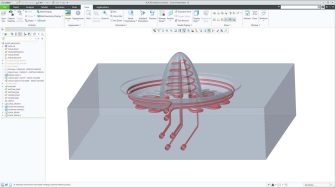
Creo 12 also includes some intelligent additively manufactured tooling capabilities that look a lot like they are AI driven. These associative, conformal cooling channels for additively developed mould tools are fantastic. They get the design going, and as the design evolves, the conformal channels can update to follow the geometry.
Finally, what’s your personal highlight of this release that you feel users will love?
The thing I like the most about Creo 12 is the Feature Presets project. It creates a dynamic where engineers can share best practices for configuring features for certain types of workflows and so forth. It’s easy to reuse. It’s a great way to accelerate common design workflows that users are doing all the time, and they know their peers are using, so it has very broad applicability.
This is a pure user experience thing, not a technology thing. We made the decision to work hard at improving the user’s experience in Creo 12. We’re just getting started with this and users are going to love it.