
Autodesk’s AI story has matured. While past Autodesk University events focused on promises and prototypes, this year Autodesk showcased live tools, giving customers a clear view of how AI could soon reshape workflows across design and engineering, writes Greg Corke
At AU 2025, Autodesk took a significant step forward in its AI journey, extending far beyond the slide-deck ambitions of previous years.
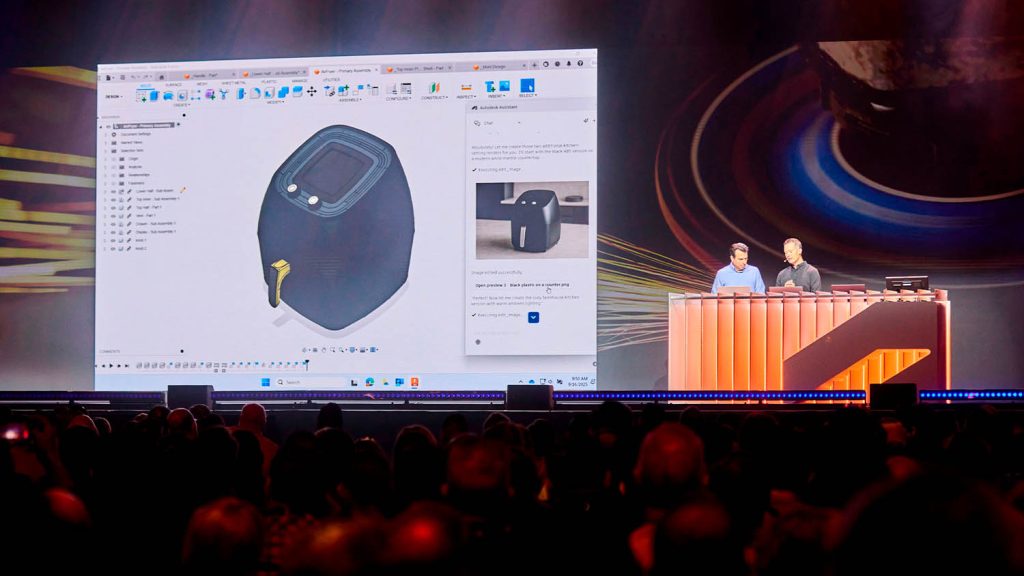
During CEO Andrew Anagnost’s keynote, the company unveiled brand-new AI tools in live demonstrations using pre-beta software. It was a calculated risk — particularly in light of recent high-profile hiccups from Meta — but the reasoning was clear: Autodesk wanted to show it has tangible, functional AI technology and it will be available for customers to try soon.
The headline development is Neural CAD, a completely new category of 3D generative AI foundation models that Autodesk says could automate up to 80–90% of routine design tasks, allowing professionals to focus on creative decisions rather than repetitive work. The naming is very deliberate, as Autodesk tries to differentiate itself from the raft of generic design-focused AI tools in development.
Neural CAD AI models will be deeply integrated into product design workflows through Autodesk Fusion and into BIM workflows through Autodesk Forma. They will ‘completely reimagine the traditional software engines that create CAD geometry.’
Autodesk is also making big AI strides in other areas. Autodesk Assistant is evolving beyond its chatbot product support origins into a fully agentic AI assistant that can automate tasks and deliver insights based on natural-language prompts.
Neural CAD
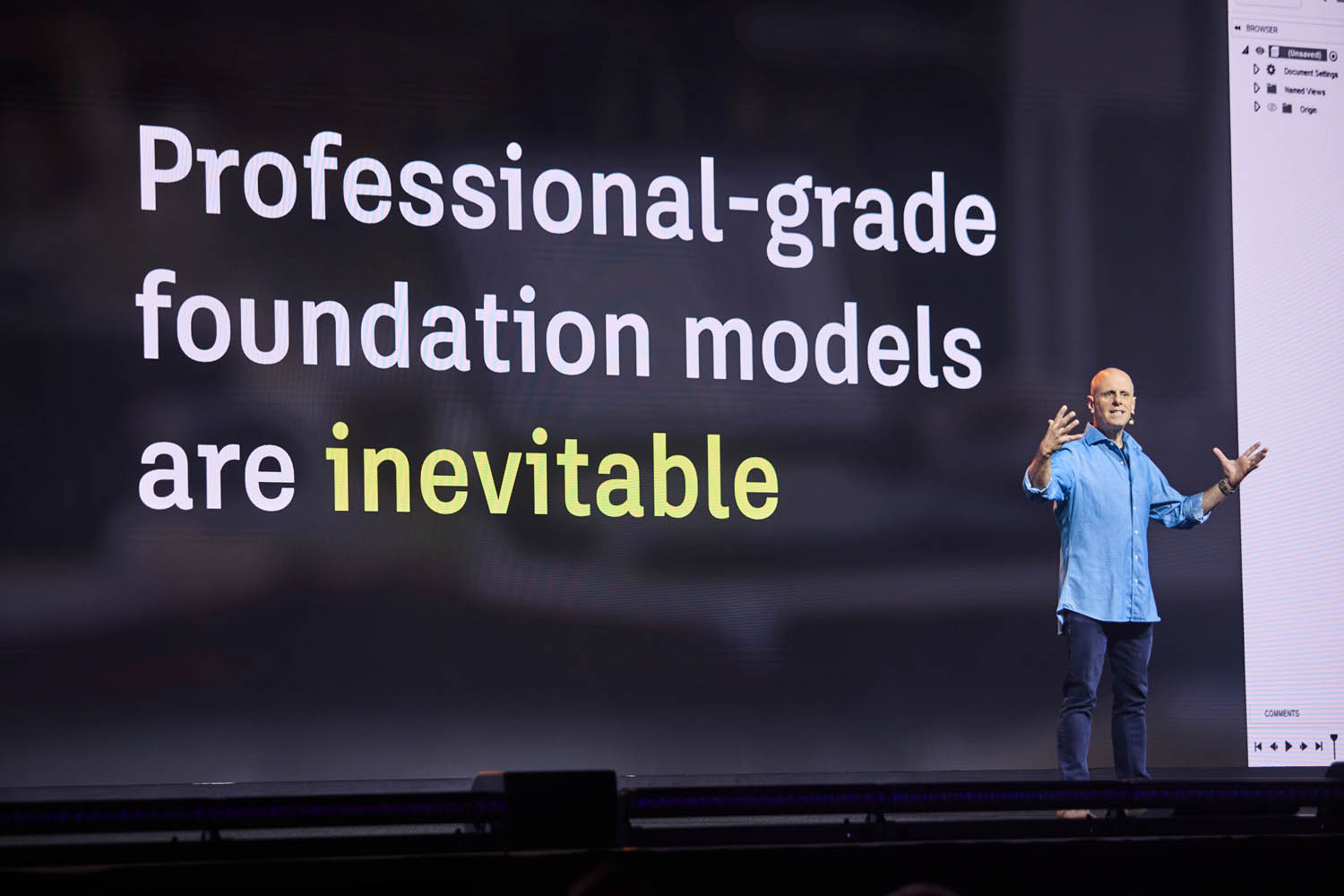
Neural CAD marks a fundamental shift in Autodesk’s core CAD and BIM technology. As Anagnost explained, “The various brains that we’re building will change the way people interact with design systems.”
Unlike general-purpose large language models (LLMs) such as ChatGPT and Claude, or AI image generation models like Stable Diffusion and Nano Banana, Neural CAD models are specifically designed for 3D CAD. They are trained on professional design data, enabling them to reason at both a detailed geometry level and at a systems and industrial process level. Neural CAD marks a big leap forward from Project Bernini, which Autodesk demonstrated at AU 2024. Bernini turned a text, sketch or point cloud ‘prompt’ into a simple mesh that wasn’t well suited for further development in CAD. In contrast, neural CAD delivers ‘high quality’ ‘editable’ 3D CAD geometry directly inside product development software Fusion or building design software Forma, just like ChatGPT generates text and Midjourney generates pixels.
Autodesk has so far presented two types of neural CAD models: ‘neural CAD for geometry’, which is being used in Fusion and ‘Neural CAD for buildings’, which is being used in Forma.
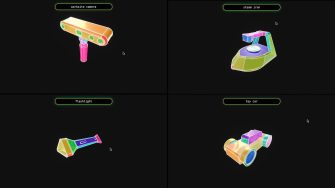
For Fusion, there are two AI model variants. The first is what Tonya Custis, senior director, AI research, described as an ‘auto regressive transformer model’, designed to generate fully editable 3D CAD models from text input. She explained how the model is well suited to generating organic curved surfaces found commonly within consumer goods and can also be guided by other input types, such as sketches, point clouds, and images.
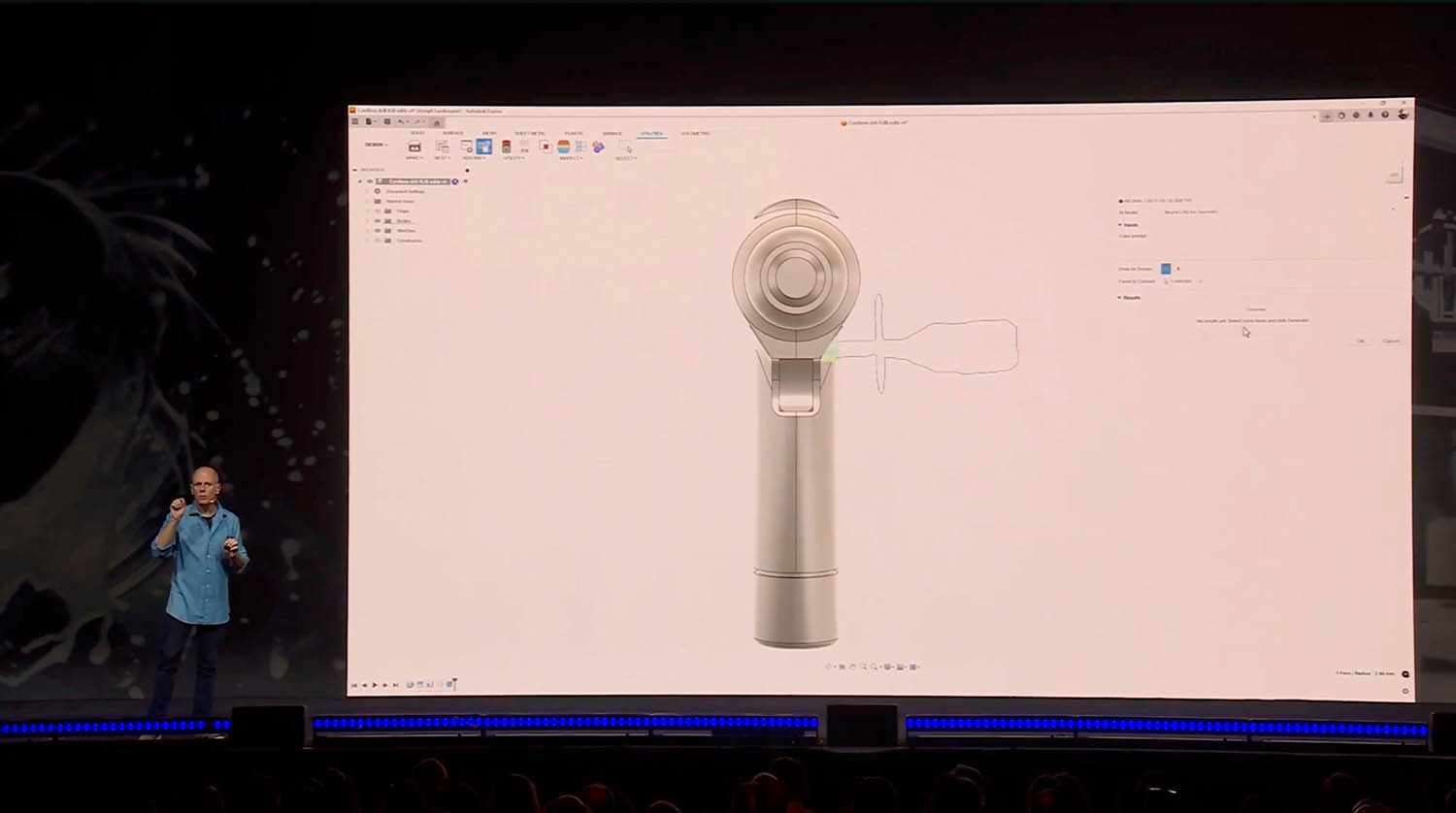
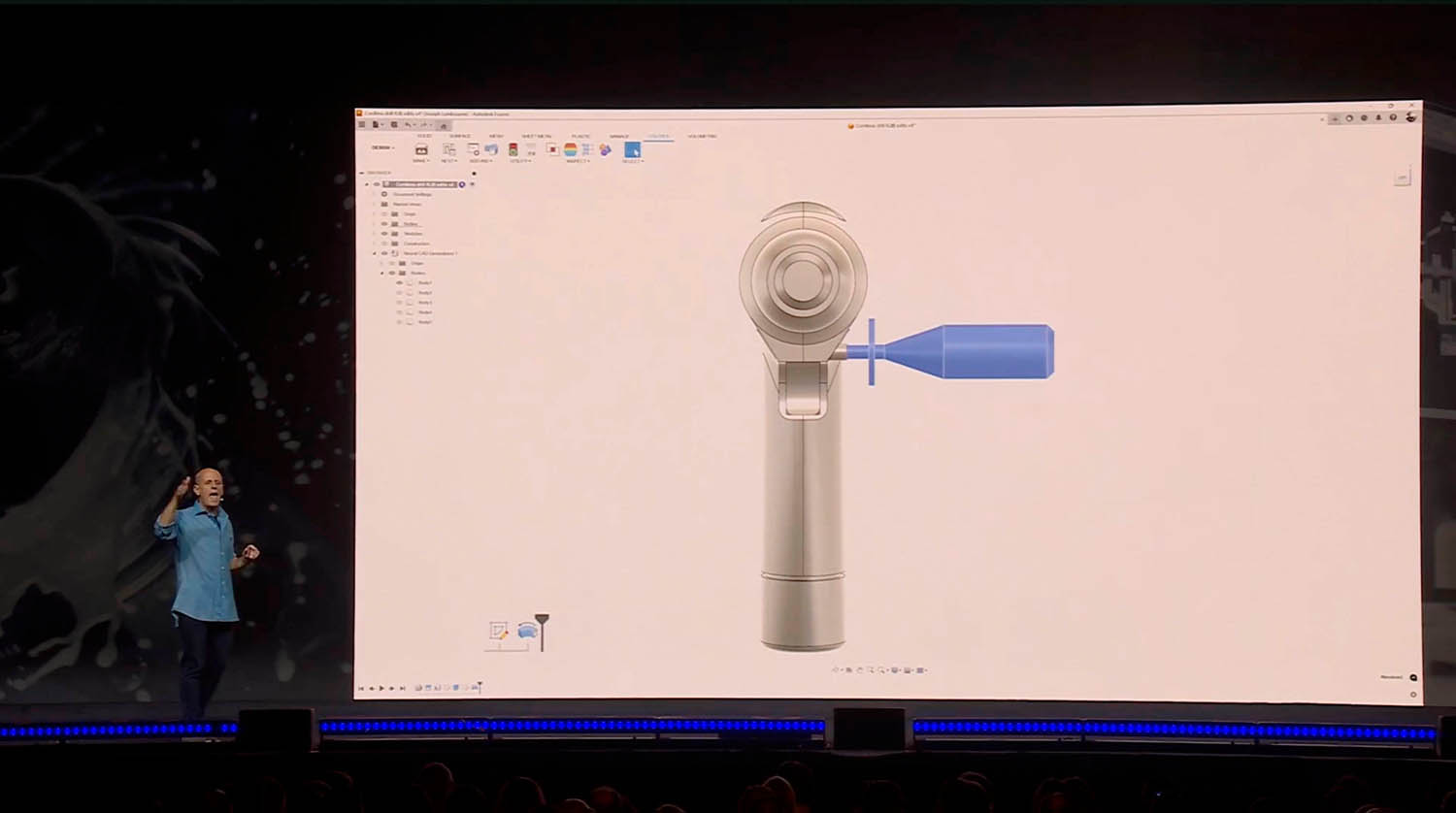
On stage, Mike Haley, senior VP of research, demonstrated how the AI model could be used in Fusion to automatically generate multiple iterations of a new product, using the example of a power drill.
“Just enter the prompts or even a drawing and let the CAD engines start to produce options for you instantly,” he said. “You can literally watch the Neural CAD engine produce the desired geometry as it reasons through the request.
“Because these are first class CAD models, you now have a head start in the creation of any new product,” he said.
The AI model can also be used to augment existing designs, as Custis explained, “When provided with a set of assembly interfaces in the form of face selections, it can generate multiple parts that precisely preserve the given assembly interface.”
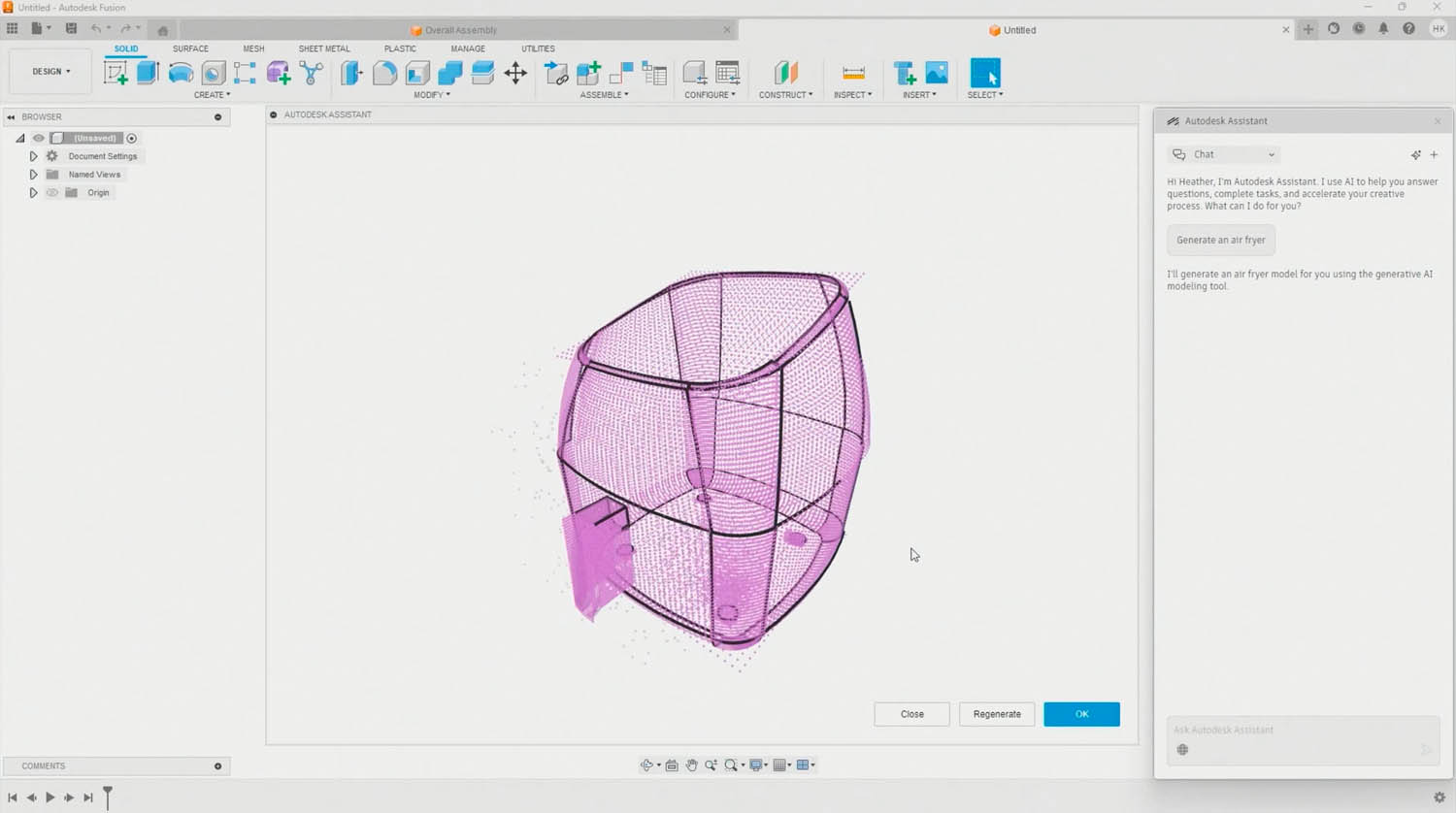
But how does the technology work? Custis explained that the AI model generates 3D CAD by learning to break apart and then synthesise faces, edges and the topology of CAD representations. “We represent faces and edges as point grids, and then we uniformly sample points over those grids,” she said.
The second neural CAD for geometry model is better suited to creating prismatic objects with flat surfaces and clearly defined edges for designs more commonly found in mechanical systems. Custis described this as more of an autocomplete for Fusion – for modifying existing designs and generating editable CAD objects.
Starting with a sketch prompt and geometry constraints, the AI model can recreate the sequence of commands within Fusion, generating objects step by step so the user can inspect the history of commands used to generate the 3D model. “This means you can make edits as if you modelled it yourself,” said Haley.
On stage he showed how the AI could be used to generate a new handle for a power drill, “We can select the precise attachment geometry which Neural CAD will honour,” he said. “We provide a conceptual sketch, which the AI interprets to produce a matching detailed 3D handle aligned correctly.”
Meanwhile, in the world of Building Information Modelling (BIM), Autodesk is using Neural CAD to extend the capabilities of Forma Building Design to generate BIM elements.
The current aim is to enable architects to ‘quickly transition’ between early design concepts and more detailed building layouts and systems with the software ‘autocompleting’ repetitive aspects of the design.
Instead of geometry, ‘Neural CAD for buildings’ focuses more on the spatial and physical relationships inherent in buildings as Haley explained. “This foundation model rapidly discovers alignments and common patterns between the different representations and aspects of building systems.
“If I was to change the shape of a building, it can instantly recompute all the internal walls,” he said. “It can instantly recompute all of the columns, the platforms, the cores, the grid lines, everything that makes up the structure of the building. It can help recompute structural drawings.”
The training challenge
Neural CAD models are trained on the typical patterns of how people design. “They’re learning from 3D design, they’re learning from geometry, they’re learning from shapes that people typically create, components that people typically use, patterns that typically occur in buildings,” said Haley.
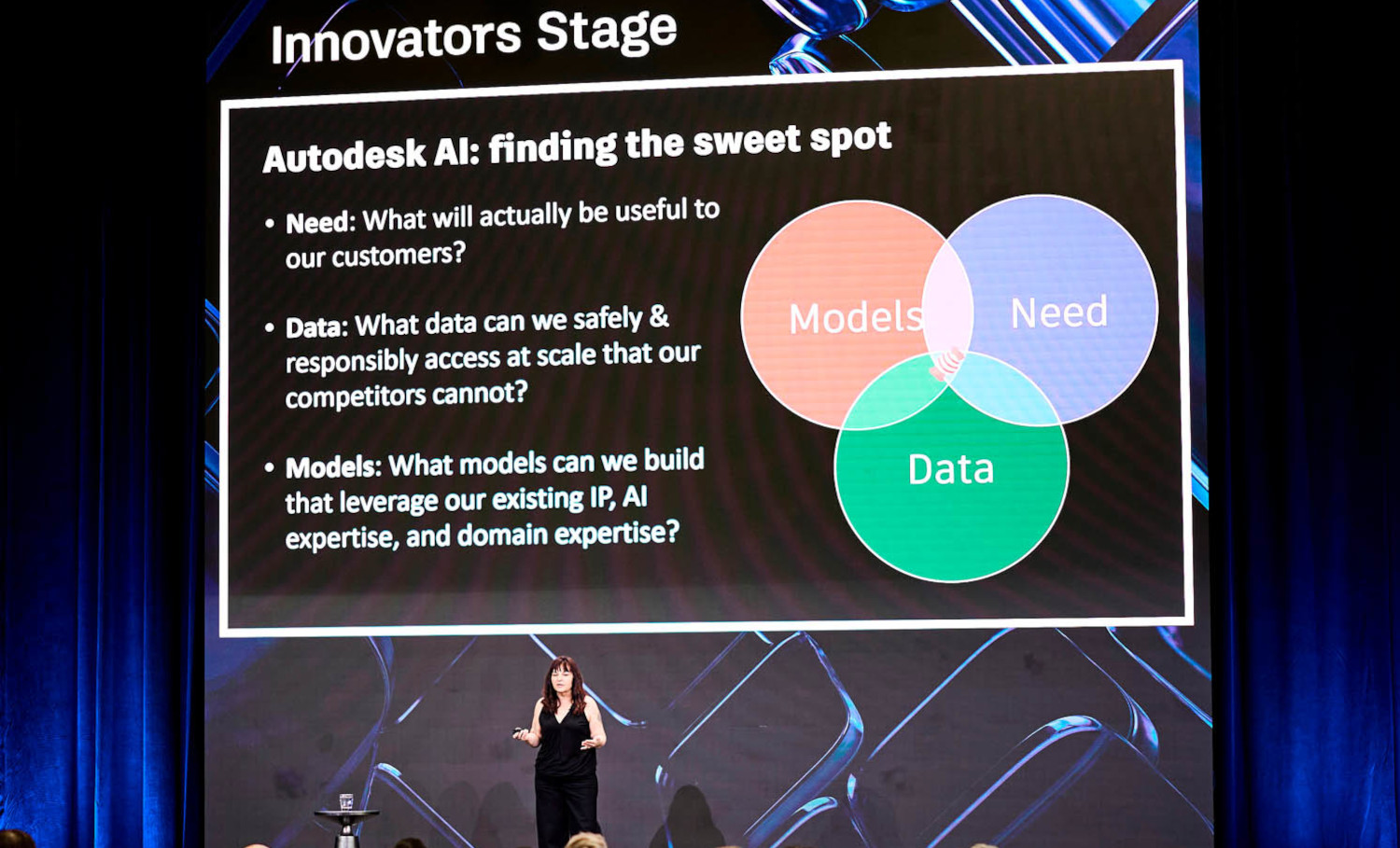
In developing these AI models, one of the biggest challenges for Autodesk has been the availability of training data. “We don’t have a whole internet source of data like any text or image models, so we have to sort of amp up the science to make up for that,” explained Custis.
For training, Autodesk uses a combination of synthetic data and customer data. Synthetic data can be generated in an ‘endless number of ways’, said Custis, including a ‘brute force’ approach using generative design or simulation.
Customer data is typically used later-on in the training process. “Our models are trained on all data we have permission to train on,” said Amy Bunszel, EVP, AEC.
But customer data is not always perfect, which is why Autodesk also commissions designers to model things for them, generating what chief scientist Daron Green describes as gold standard data. “We want things that are fully constrained, well annotated to a level that a customer wouldn’t [necessarily] do, because they just need to have the task completed sufficiently for them to be able to build it, not for us to be able to train against,” he said.
Of course, it’s still very early days for neural CAD and Autodesk plans to improve and expand the models, “These are foundation models, so the idea is we train one big model and then we can task adapt it to different use cases using reinforcement learning, fine tuning,” said Custis.
In the future, customers will be able to customise the neural CAD foundation models, by tuning them to their organisation’s proprietary data and processes. This could be sandboxed, so no ‘context window’ data is incorporated into the global training set unless the customer explicitly allows it.
“Your historical data and processes will be something you can use without having to start from scratch again and again, allowing you to fully harness the value locked away in your historical digital data, creating your own unique advantages through models that embody your secret source or your proprietary methods,” said Haley.
Agentic AI: Autodesk Assistant
When Autodesk first launched Autodesk Assistant, it was little more than a natural language chatbot to help users get support for Autodesk products.
Now it’s evolved into what Autodesk describes as an ‘agentic AI partner’ that can automate repetitive tasks and help ‘optimise decisions in real time’ by combining context with predictive insights.
Beyond helping drive generative AI through neural CAD, Autodesk Assistant in Fusion will make it easier to invite team members to collaborate on projects or generate visuals using multimodal image generation model, GPT-image-1, bypassing traditional visualisation workflows by placing Fusion designs in context, such as an air fryer in a kitchen.
In the future, Anagnost explained how Autodesk Assistant will even be able to create toolpaths, using natural language prompts such as ‘In Roughing, create a 3D pocket clearing operation using the 8mm Flat Endmill tool from the Milling Tools (metric) Library.’
Autodesk Assistant will also extend to product data management (PDM) software Autodesk Vault, where it will deliver natural-language search and follow-on actions, such as updating outdated drawings or pushing Bill of Materials (BoMs) to PLM in Fusion Manage.
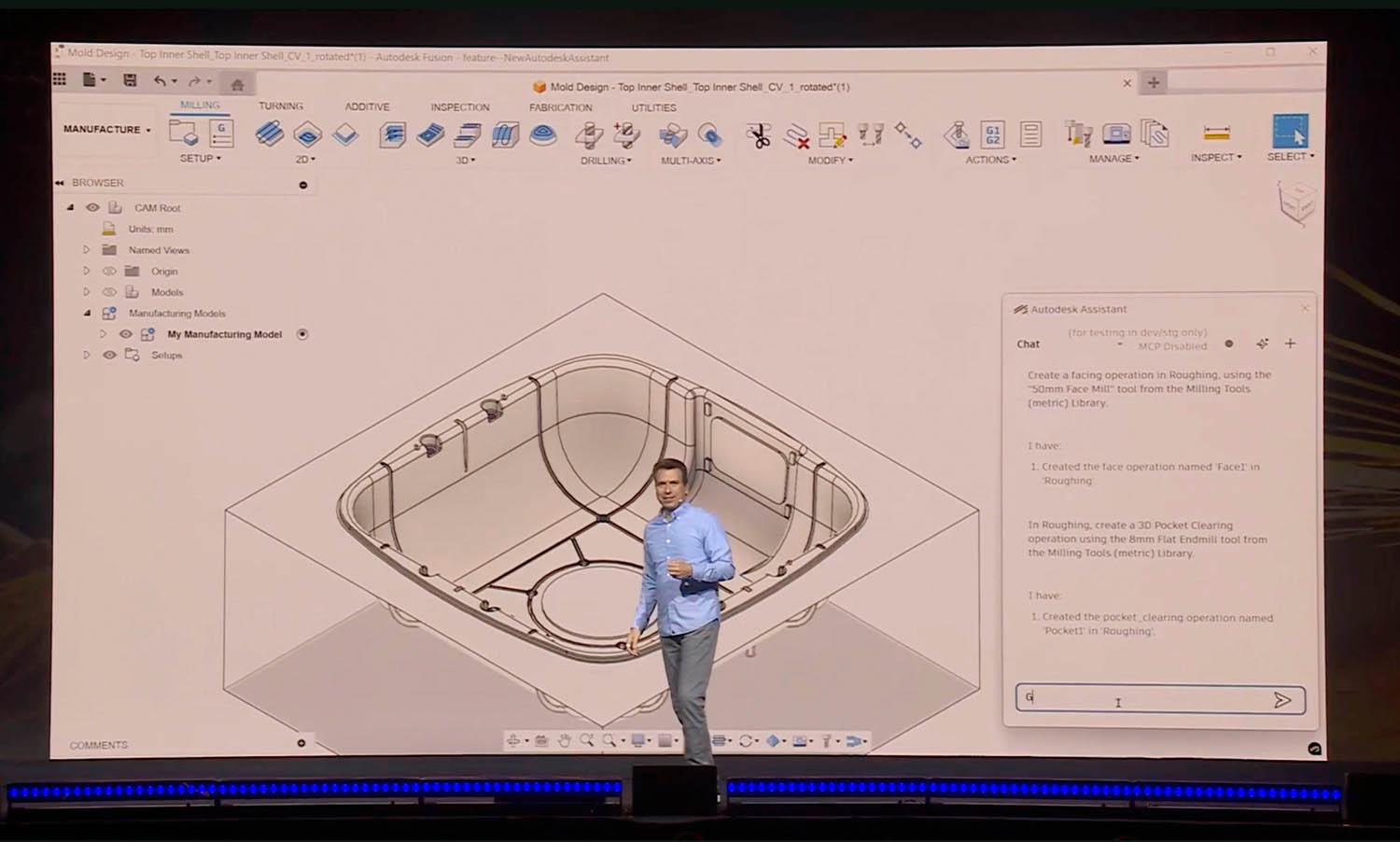
So how does Autodesk ensure that Assistant gives accurate answers? Anagnost explained that it takes into account the context that’s inside the application and the context of work that users do.
“If you just dumped Copilot on top of our stuff, the probability that you’re going to get the right answer is just a probability. We add a layer on top of that, that narrows the range of possible answers.”
“We’re building that layer to make sure that the probability of getting what you want isn’t 70%, it’s 99.99 something percent,” he said.
While each Autodesk product will have its own Assistant, the foundation technology has also been built with agent-to-agent communication in mind – the idea being that one Assistant can ‘call’ another Assistant to automate workflows across products and, in some cases, industries.
“It’s designed to do three things: automate the manual, connect the disconnected, and deliver real time insights, freeing your teams to focus on their highest value work,” said CTO, Raji Arasu.
In the context of a large hospital construction project, Arasu demonstrated how a general contractor, manufacturer, architect and cost estimator could collaborate more easily through natural language in Autodesk Assistant. She showed how teams across disciplines could share and sync select data between Revit, Inventor and Power Bi, and manage regulatory requirements more efficiently by automating routine compliance tasks. “In the future, Assistant can continuously check compliance in the background. It can turn compliance into a constant safeguard, rather than just a one-time step process,” she said.
Agent-to-agent communication is being enabled by Model Context Protocol (MCP) servers and Application Programming Interfaces (APIs), including the Manufacturing Data Model API, that tap into Autodesk’s cloud-based data stores. APIs will provide the access, while Autodesk MCP servers, such as the Autodesk Fusion Data MCP Server, will orchestrate and enable Assistant to act on that data in real time.
As MCP is an open standard that lets AI agents securely interact with external tools and data, Autodesk will also make its MCP servers available for third-party agents to call.
All of this will naturally lead to an increase in API calls, which were already up 43% year on year even before AI came into the mix. To pay for this Autodesk is introducing a new usage-based pricing model for customers with product subscriptions, as Arasu explained, “You can continue to access these select APIs with generous monthly limits, but when usage goes past those limits, additional charges will apply.”
But this has raised understandable concerns among customers about the future, including potential cost increases and whether these could ultimately limit design iterations.
The human in the loop
Autodesk is designing its AI systems to assist and accelerate the creative process, not replace it. The company stresses that professionals will always make the final decisions, keeping a human firmly in the loop, even in agent-to-agent communications, to ensure accountability and design integrity.
“We are not trying to, nor do we aspire to, create an answer, “said Anagnost. “What we’re aspiring to do is make it easy for the engineer, the architect, the construction professional to evaluate a series of options, make a call, find an option, and ultimately be the arbiter and person responsible for deciding what the actual final answer is.”
AI computation
It’s no secret that AI requires substantial processing power. Autodesk trains all its AI models in the cloud, and while most inferencing — where the model applies its knowledge to generate real-world results — currently happens in the cloud, some of this work will gradually move to local devices.
This approach not only helps reduce costs (since cloud GPU hours are expensive) but also minimises latency when working with locally cached data.
The AI-assisted future
AU 2025 felt like a pivotal moment in Autodesk’s AI journey. The company is now moving beyond ambitions and experimentation into a phase where AI is becoming deeply integrated into its core software.
With the neural CAD and Autodesk Assistant branded functionality, AI will soon be able to generate fully editable CAD geometry, automate repetitive tasks, and gain ‘actionable insights’ across both product development and AEC workflows.
As Autodesk stresses, this is all being done while keeping humans firmly in the loop, ensuring that professionals remain the final decision-makers and retain accountability for design outcomes.
Importantly, customers do not need to adopt brand new design tools to get onboard with Autodesk AI. While neural CAD is being integrated into Fusion and Forma, users of traditional desktop CAD/BIM tools can still benefit through Autodesk Assistant, which will soon be available in Inventor, Revit, Civil 3D, AutoCAD and others.
With Autodesk Assistant, the ability to optimise and automate workflows using natural-language feels like a powerful proposition, but as the technology evolves, the company faces the challenge of educating users on its capabilities — and its limitations.
Meanwhile, data interoperability remains front and centre, with Autodesk routing everything through the cloud and using MCP servers and APIs to enable cross-product and even cross-discipline workflows.
It’s easy to imagine how agent-to-agent communication might occur within the Autodesk world, but design and manufacturing workflows are fragmented, and it remains to be seen how this will play out with third parties.
Of course, as with other major design software providers, fully embracing AI means fully committing to the cloud, which will be a leap of faith for many firms.
From customers we have spoken with there remain genuine concerns about becoming locked into the Autodesk ecosystem, as well as the potential for rising costs, particularly related to increased API usage. ‘Generous monthly limits’ might not seem so generous once the frequency of API calls increase, as it inevitably will in an iterative design process. It would be a real shame if firms end up actively avoiding using these powerful tools because of budgetary constraints.
Above all, AU is sure to have given Autodesk customers a much clearer idea of Autodesk’s long-term vision for AI-assisted design. There’s huge potential for Autodesk Assistant to grow into a true AI agent while Neural CAD foundation models will continue to evolve, handling greater complexity, and blending text, speech and sketch inputs to further slash design times. We’re genuinely excited to see where this goes.