Articles tagged with Powershape
In search of Elegance #4: Surfacing. Without the headache
Published 19 October 2009
Posted by Al Dean
Basic construction of a Viking sailing ship. Boat design is one of the most elegant forms in the world of engineering. Simple, efficient and timeless (and when I say timeless, I mean, since 1500 BC). Image courtesy of the good folks at Vikingskip.com
Here’s something I was reminded of recently on a trip to see the team at Delcam (in their HQ quarters, a scant 15 miles from my home, rather than 8,000 miles away in Korea this time). If you’re not familiar with it’s solutions, Delcam has a huge range of technology which often solves real, live problems faced in the heady world of design and manufacture, rather than, as some vendors choose, creating solutions looking for problems. While there’s much elegance in many areas of Delcam’s offering, one thing lept out at me – and that’s how it’s flagship modelling system handles surface creation.
Surfacing is a complex business. From first principles, when you’re trying to create sculpted, complex forms, you’re looking at an inherently more complex workflow than when working with prismatic features. the geometry is more complex, so the creation of it is going to be more complex, right?
Traditionally, yes. Absolutely.
Surfacing requires that you first build a network of curves and the precise form of those are controlled by not only the form you want to create, but how you want to create it. There are many types of surfaces. Planar surfaces are flat and the simplest. Then you have four sided surfaces, n-sided, bi-rail surfaces, extrudes, lofted surfaces, swept surfaces, blends, flanges, fillets. Filleting in itself is a very complex art depending on your form requirements. If you’re working to corners, then you’re looking at trying to merge three or more surfaces converging on a single point and at that point, you might want different fillets, different set-back value.
All in all, its a complex and often daunting prospect – particularly for those that have learned their trade-craft using mainstream, solid modelling applications. Knowing what forms you’re aiming for is essential to create curves (often referred to as wires), before you even get to actually creating a surface.
Delcam’s PowerShape has been on the market for about ten years or so and the company has been through revision after revision to give its users a set of tools that allow you to work with complex geometry, fix it, prepare it for manufacture That’s given it a perspective that is only shared by a handful of vendors. Delcam has a set of tools that are used by a community that’s both a) demanding (as they need flawless data – which begets flawless tool forms) and b) very used to dealing with crappy third party data. These are the people that take crappy data and turn it into a manufacturable item – something that requires highly efficient tools.
Perhaps the perfect example of this is how PowerShape handles surface creation. As we’ve discussed, you’re often facing multiple decisions about what curves to create, then what exact type of surface you want to create, before you even start to think about creating any geometry. What Delcam has developed is Smart Surfacer and it takes many of these decisions out of your hands – or at least, gives you a helping hand.
Basically, you create the curve network you want, then invoke the Smart Surfacer command. This presents a simple dialog box. With this active, you then start to select the geometry, either from curves or from existing surface edges. The system inspects your selections, looks at the types of surfaces it can create, then presents you with the best guess is has for the best type of surface you could create based on that selection. As you add more geometry to the selection, it reevaluates the choice and switches the surface type and displays a preview.
1. Take this simple geometry set – two circles and a connecting arc.
2. Select the smaller circle and you get a planar fill surface.
3.Add in the connecting arc to the selection and it’ll switch to a drive Curve, to push the arc around the circle.
4. Adding in the large circle maintains a Drive Curve, but runs it between the two circles, using the arc as the Drive Curve.
Here’s another example
1: Rectangle, helix, circle. – selecting the rectangle gives you a planar surface.
2: Adding the helix into the selection gets you a drive curve that’s very similar to a swept feature.
3: Adding the circle in switches the Drive Curve to push between two forms, creating a smooth transition.
Of course, these are pretty simplistic demonstrations for the purposes of getting the concepts across, but the usefulness and the simplicity of the tool should be clear. Quite often you’re not dealing with singular surfaces such as these, but rather, dealing with the complexity of trying to finish up that set of surfaces, to squeeze that final last few in that tie together the whole form, the points where form quality is won or lost – and that’s exactly where this tool comes into its own. Rather you having to rework other surfaces in the set to patch in that final surface, the system can find the optimum solution and present it to you for inspection and fine tuning. there are also more manual tools avialable from the command, such as the Composite Curve creator, which can assist greatly when you have multiple, disjointed surfaces meeting at one area.
PowerShape’s Smart Surfacer is a perfect example of what I’m looking for in this search – it’s a deceptively simple tool that collects together best practice, knowledge and experience of dealing with some of the worse geometry known to man and presenting it in a tool that adds that intelligence in an unobtrusive manner, while giving you the freedom to dive in and edit things manually if needs be.
PowerShape-E is avialable for free, to play with at your leisure at www.powershape-e.com – I’d recommend doing so to anyone with a passing interest in complex shape description.
Delcam Asian Technical Summit: Day 2 – a touch late I know
Published 17 September 2009
Posted by Al Dean
Do forgive me for this, I didn’t get the chance to get this posted while out in Korea, so here’s the second day of the event’s thoughts and ponderings:
After an evening spent with some wonderful company in a traditional Korean resturant, the first day was all about 3D design and development tools, the second day of the Tech Summit is all about manufacturing and production, starting with PowerMill 10. This is the first of two releases this year, with PowerMill 2010 coming later on. The reason for this is that Delcam has added two key technologies that it’s customers have been crying out for. The first is multicore support has been added into PowerMill 10. This will split a tool-path into segments (according to the number of cores you have) and calculate one of each core. As with many things, some processes are more suited to parallel processing than others. In the world of CAM, it’s most useful when you’re using raster tool-paths. The good news is that many of PowerMill’s functions are raster based. The other operation or process type that gets real benefit from this is stock calculation, where the model is processed after each tool-path’s creation to maintain an accurate model of the remaining material.
Alongside this, release 10 also gets background processing capabilities. In the current release, you define your tool-path, then calculate it. This locks up PowerMill while the chunking is done. From the release 10 onwards, you can set-up tool-paths, add them to a queue, then continue to work on your part, adding more operations to the queue while your machine is calculating the tool-paths in the background.
Where the benefits can be gained with multi-threading support
It’s important to note two things, the background processing does not require multi-core workstations. The other relates to working on multiple jobs at one time. As default, PowerMill allows two sessions. In previous releases, this allowed you to open two jobs you’re working on and run them both in parallel. But the background processing tool uses one of those session licenses. So, while you can queue up multiple calculation tasks, you’re not going to be able to run two sessions without an additional license. If you have networked flex licenses, this shouldn’t be a problem, but if you’re running a standalone workstation and often use two sessions, you might run into difficulties.
PowerMill 2010
While these new tools are going to the PowerMill 10 release, Delcam aren’t done for PowerMill for this year. PowerMil 2010 will be another major release later this year, with redesigned forms and dlalogs giving you access to operation variables in a much quicker way without switching dialogs. There will be new roughing operations that will avoid thiun slithers of material, which is something those of you using insert-based cutter will know is a problem (the slithers can rip the inserts straight out and these things ain’t cheap). Corner Clearance when roughing is going to be improved and will removes materials left in corners in successive layers – it’s similar to trochoidial roughing, but works across more operations.
The last two major updates are a new smoothing algorithm which can be applied across a whole toolpath, adding arcs across all areas of a toolpath to create a seemless toolpath – previously, the addition of arc was reserved for corners – and should give you a much better surface finish. Finally, the new Tool Holder Profile tools can help you to find the most appropriate toolholder for your machining task. This is done by finding the minimum profile that can safely fit into every area of the part across all of the tool-paths. It then gives you that information when you’re working on tool holder selection(by means of a graphical representation), allowing you to find the best holder for the job and to make adjustments to other settings (such as overhang) to get the best results.
Oh and there’s also new tools for assist with collision avoidance in 5 axis operations. While it’s not a new feature per-se, it’s been optimised to give you a much smoother tool-path and machine movement (previous releases could give you quite harsh machine movements).
Delcam PartMaker
This is another company that Delcam acquired a few years ago. PartMaker is predominately used to program both swiss lathes and turn mill applications. For those unfamiliar with Swiss Lathes, they’re typically used to create smaller parts using sliding stock and multiple spindles. The combination of constant feed and moving material and the multiple spindles means that you can highly compress and optimise your operations (synchronising between the two machining spindles) and build parts at a very high rate.
Of course, the programming software is essential, because if you can shave fractions of seconds out of a single part, then when you multiply that by part volumes (we’re talking 100,000+ units), even the most modest of time savings can quickly stack up to greater productivity. Also, the complex nature of these types of machines, particularly when you consider some have 11 or more axis of movement, means you need some bullet proof coding tools.
Updates for this release are the introduction of 5 axis operations. There’s also greater integration with PowerMill, allowing you to switch data from PartMaker to PowerMill to work on very complex operations, then integrate those operations back in PartMaker. While the origins of the Swiss lathe lies in the Swiss watch making industry, the machines have been adopted across many industries sectors, from aerospace to medical, so while the term lathe may give you an impression of axisymmetric parts, almost anything can be machined as long as it can fit within the bar size.
FeatureCAM
FeatureCAM is another of Delcam’s recently acquisition that’s become more integrated into the product portfolio. Alongside PowerMill and PartMaker, it may seem redundant that Delcam has another part programming tool, but each has it’s own areas of speciality and concentration – and as such, there’s different language and terminology for each. To give you an idea of what FeatureCAM is about is about firstly formalising your knowledge and best practice in terms of machining operations variables (speeds, feeds, step-over etc), cutter preferences and such. It’s then about providing a knowledge-based environment in which you can generate part programs very quickly indeed. It does this by recognising features within your parts (as such, it’s inherently most suited to prismatic parts) then generating operations to create those features. The feature-based nature of the system also gives a better environment for CAD/CAM integration, as the system can reload updated geometry, find which boundaries have changes, which features have shifted, been added or removed, then update the program accordingly.
Where the benefits can be gained with multi-threading support
It’s important to note two things, the background processing does not require multi-core workstations. The other relates to working on multiple jobs at one time. As default, PowerMill allows two sessions. In previous releases, this allowed you to open two jobs you’re working on and run them both in parallel. But the background processing tool uses one of those session licenses. So, while you can queue up multiple calculation tasks, you’re not going to be able to run two sessions without an additional license. If you have networked flex licenses, this shouldn’t be a problem, but if you’re running a standalone workstation and often use two sessions, you might run into difficulties.
PowerMill 2010
While these new tools are going to the PowerMill 10 release, Delcam aren’t done for PowerMill for this year. PowerMil 2010 will be another major release later this year, with redesigned forms and dlalogs giving you access to operation variables in a much quicker way without switching dialogs. There will be new roughing operations that will avoid thiun slithers of material, which is something those of you using insert-based cutter will know is a problem (the slithers can rip the inserts straight out and these things ain’t cheap). Corner Clearance when roughing is going to be improved and will removes materials left in corners in successive layers – it’s similar to trochoidial roughing, but works across more operations.
The last two major updates are a new smoothing algorithm which can be applied across a whole toolpath, adding arcs across all areas of a toolpath to create a seemless toolpath – previously, the addition of arc was reserved for corners – and should give you a much better surface finish. Finally, the new Tool Holder Profile tools can help you to find the most appropriate toolholder for your machining task. This is done by finding the minimum profile that can safely fit into every area of the part across all of the tool-paths. It then gives you that information when you’re working on tool holder selection(by means of a graphical representation), allowing you to find the best holder for the job and to make adjustments to other settings (such as overhang) to get the best results.
Oh and there’s also new tools for assist with collision avoidance in 5 axis operations. While it’s not a new feature per-se, it’s been optimised to give you a much smoother tool-path and machine movement (previous releases could give you quite harsh machine movements).
Delcam PartMaker
This is another company that Delcam acquired a few years ago. PartMaker is predominately used to program both swiss lathes and turn mill applications. For those unfamiliar with Swiss Lathes, they’re typically used to create smaller parts using sliding stock and multiple spindles. The combination of constant feed and moving material and the multiple spindles means that you can highly compress and optimise your operations (synchronising between the two machining spindles) and build parts at a very high rate.
Of course, the programming software is essential, because if you can shave fractions of seconds out of a single part, then when you multiply that by part volumes (we’re talking 100,000+ units), even the most modest of time savings can quickly stack up to greater productivity. Also, the complex nature of these types of machines, particularly when you consider some have 11 or more axis of movement, means you need some bullet proof coding tools.
Updates for this release are the introduction of 5 axis operations. There’s also greater integration with PowerMill, allowing you to switch data from PartMaker to PowerMill to work on very complex operations, then integrate those operations back in PartMaker. While the origins of the Swiss lathe lies in the Swiss watch making industry, the machines have been adopted across many industries sectors, from aerospace to medical, so while the term lathe may give you an impression of axisymmetric parts, almost anything can be machined as long as it can fit within the bar size.
FeatureCAM
FeatureCAM is another of Delcam’s recently acquisition that’s become more integrated into the product portfolio. Alongside PowerMill and PartMaker, it may seem redundant that Delcam has another part programming tool, but each has it’s own areas of speciality and concentration – and as such, there’s different language and terminology for each. To give you an idea of what FeatureCAM is about is about firstly formalising your knowledge and best practice in terms of machining operations variables (speeds, feeds, step-over etc), cutter preferences and such. It’s then about providing a knowledge-based environment in which you can generate part programs very quickly indeed. It does this by recognising features within your parts (as such, it’s inherently most suited to prismatic parts) then generating operations to create those features. The feature-based nature of the system also gives a better environment for CAD/CAM integration, as the system can reload updated geometry, find which boundaries have changes, which features have shifted, been added or removed, then update the program accordingly.
Point of thought
The past two days brought home something I’ve been thinking about for a while and that’s the CAM industry in general. While there’s an increasingly degree of consolidation (something that’s only going to increase), it’s still a highly fragmented industry, both in terms of geography and in terms of functionality. While the geographic fragmentation isn’t going to change much until the larger vendors start to swallow up the smaller vendors out there and others disappear. Obviously there’s an economic crisis which might see smaller CAM vendors get into trouble and sell out before it’s too late, but there’s also an age issue. Quite a number of CAM vendors are privately owned by the person or people that started them in the late 70s and 80s. Many of these people are getting towards retirement age and you’ll see greater consolidation due to that reason alone.
In terms of functionality fragmentation, this is also something that’s inevitable. Within the world of CAM, there are many processes, many machine types and many different variables, meaning that the proliferation of systems is natural. The type of machine tool you run often filters out your list of software available, particularly if you choose not to go with your machine tool vendor’s recommendations. While if you’re running a 5 axis machine tool, you have a wide selection, when it comes to systems such as the more complex mill/turn or swiss lathe type machines, the list isn’t as quite as extensive.
Also consider your company’s requirements and where you need to place the priority for your CAM work. Are you looking for the greatest surface finish on a highly complex part, are you looking to create high volumes of parts using a mill/turn where reduction of part cycle time is key or are you looking at quick turn around one offs or small volumes with minimum machine set-up time, where part programming needs to be quick.
What’s interesting is it’s a rare occasion indeed when you’d find tools to support all these options and requirements from a single vendor. While Delcam’s name was built within the world of mould and die design and machining, the last 10 years have seen the company hugely expand its offering, both in terms of a wider spread of CAM-variants, but also in terms of new processes, both upstream and downstream. The solution set now covers everything, from conceptualisation and design, through tooling design, NC programming right through to inspection. you’re now seeing greater integration between all of the systems and cross pollination of technology between the various constituent systems. PowerShape gets mesh handling tools from CopyCAD, PartMaker now swaps data with PowerMill etc etc etc. It’s highly impressive and something that many other vendors could learn a thing or two from.
Add comment (0 comments)
Delcam Asian Technical Summit – Day #1
Published 08 September 2009
Posted by Al Dean
First up is Hankook Delcam’s chairman, the ever charming Mr Jeong, former doorman and teacher. He’s quite the gentleman and has become something of a legend. his attitude shows his background, believing that if you’re a good teacher, then you can become a success is business, particularly when you find the right staff and help them to become success, through both mentoring, support and a lack of blame culture within his organisation. That and whatever his competitors, his company will do it at least twice as big, whether that’s magazine advertising or trade show stands. And it seems to work has Hankook Delcam is the largest CAD/CAM company in Korea.
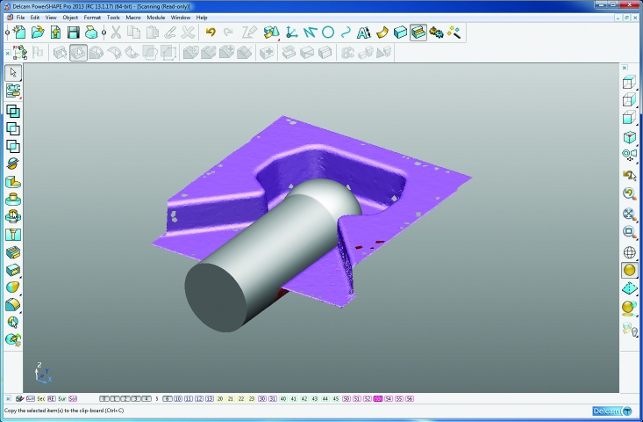
Next up is a look into Delcam’s Tribrid modelling approach. yes. Tribrid modelling. Let me explain. the term hybrid modelling has been around for sometime, where systems allow you to work with both solid and surface modelling technology in equal measure. What the ‘Tri’ tag brings into this mix is the ability to work with solids, surfaces and tessellated meshes. Where this becomes useful is the integrate of geometry more complex than surface models, typically either reverse engineered or modelled to represent highly organic features, whether that’s texture, decoration or other complex features.
For sometime, Delcam has had the ability to work with these three types of geometry (solid, surface, mesh) in separate applications. For example, PowerShape took care of solid and surface modelling, while CopyCAD (for reverse engineering) and ArtCAM (for decoration design) handled mesh-based geometry. Now you can work with all three within PowerShape and use the most appropriate modelling methodology to solve your design problems. (we took a look at this new offering back in June 2008, so check the web-site for back issues) and of course, take them through to manufacture.
Finally, there’s big news on the solid modelling front is that in the next major release, PowerShape will see the integration of the Parasolid kernel. Why? the reasons offered are that it gives PowerShape a faster, more robust geometry modelling system, better interoperability, which then brings a better solution for those working in a supply chain environment.
To support this, the next release, PowerShape 2010 will see the introduction of the Solid Doctor to assist with converting poor quality data into reliable Parasolid models, by initially categorising faults, then providing fixes to build a watertight model. While for simple model this isn’t much of an issue, but when it’s customers are receiving poorly quality models, featuring 10,000 surfaces from Catia, then something is needed to provide some assistance and get the job done.
Delcam in Footwear
Delcam has always been active in the Footwear industry (naming Nike, Adidas and Wolverine amongst many others as clients), but the company’s acquisition of Crispin Systems in 2007 gave this a greater boost in the last few years. For those that haven’t looked at it, Footwear design is a very complex process, not only because of the various constituent parts (sole, upper, etc etc) but of the non-proportional scaling to create the multitude of international footwear sizes (referred to as grading).
Footwear design begins with a Last, to provide the basis for the shoe design, and the Crispin tools allows you to reverse engineer these from scanned data (they’re typically handcrafted). you then use a series of specialist tools to create the detail and form of the shoe, then create the flat pattern for cutting materials from sheets. Of course, this is Delcam and the company also provides the tools to create the production ready data, both in terms of mould development and machining for soles and other components, but also production and documentation for TechPacks (which define the production and assembly information) as well as tools for nesting (to reduce scrap wasted material) and cutting components from both paper (for patterns) and leather.
Setting out Healthcare plans
The big news for this event is the launch of Delcam’s Healthcare Division, which formalises and expands the company’s existing activities in the medical field. Chris Lawrie, Healthcare Business Development Manager explained how lessons learned and technologies learned in the engineering sector can be applied to the medical world.
Current medical activity maxillofacial (facial reconstruction), dental, prosthetic limbs, orthotic insoles, shoes and implants, general implants, dental reconstruction and cranioplasty. What makes the huge difference is customising each of these for the form and needs of each patient. Of course, capturing this data requires that the form is captured, which Delcam solves at present by taking CT data and converting them into useful 3D data using a system from Simpleware. Once that data is captured, the tools within Delcam’s tools (solids, surfaces and mesh modelling) are used to create and re-engineer the components required, then manufacture them. Many of Delcam’s products are already used in medical, for example, PartMaker has 70% of it’s customers in the medical field (as swiss lathes, with PartMaker specialised in, are commonly used to provide components at very high part rates).
What’s interesting is that the medical field is crying out for assistance with these process and according to Lawrie, there’s a huge opportunity for companies with experience within the aerospace field (due to the knowledge of handling and machining complex alloys and metals) to readapt that experience to fulfil this need
Alongside the use of Delcam’s existing and generally applicable tools such as PowerShape and PowerMill, the company is also developing bespoke applications for the medical field. A good example is the DentCAD and DentMill set of tools which allow you to reverse engineer from teeth, then manufacture implants and such.
Delcam are tagging their set of tools as the Digital Laboratory and the aim is to assist the medical professional with bringing these technologies and production processes to the mainstream by taking their technology, adapting the language and inputs within the field and creating a set of tools that allow the medical sector to reduce both costs and time scale (casting is commonly used, but is a very lengthy process) – but also to create solutions which speed recovery times and improve the life of patients. Take the example FaceMaker being used to assist someone suffering from facial cancer. Rather than increasing patient trauma by putting them through the lengthy process of building a physical cast from their face, the systems Delcam are developing can capture the data needed within seconds, without any form of invasion and deliver a better prothetic that better suits their needs. Then, when repeat prescriptions are needed, a replacement can be manufactured without further invasion or stress.
In terms of process support, Delcam are also developing a set of web-based tools for workflow and process management (based on their PS-Team system) that allows everyone involved in the process (which are typically geographically dispersed) to see the process and how each project progresses, from store front, through design and into production, delivery, implementation and invoicing. All fully traceable and auditable, which for the medical field is a huge issue.
That about wraps up the presentations for today, and we’re off to visit Hyundai Motors, so I’ll be back at you tomorrow with more. Toodles.
Add comment (2 comments)
How to buy a professional graphics card for SolidWorks 2009
Published 15 July 2009
Posted by Greg Corke

SolidWorks 2009 has one of the most advanced 3D graphics engines in the CAD industry, but what is it that makes it tick, how does RealView affect 3D performance and what do you need to consider when buying a professional graphics card?
I’ve put together my findings in a special report, which is due to appear in the July/August edition of DEVELOP3D magazine, out early next week. To make sure you get a copy, just register here now. And in case you didn’t know, it’s free!
I’d also like to take this opportunity to say a special thanks to Stuart Reid, Director, Product Systems & Graphics at SolidWorks
Labels: Graphics Cards, RealView, solidworks, VBOs
Add comment (0 comments)


Add comment (1 comment)