SpaceClaim shows its hand(s) with regards to multi-touch

Published 20 July 2009

Posted by Greg Corke

Article tagged with: spaceclaim, windows 7, multi-touch, ergonomics

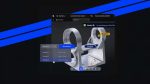
SpaceClaim has just posted a video on YouTube that is certain to grab the attention of multi-touch CAD fanatics. The video shows off some cool new multi-touch capabilities that are coming in the next release of SpaceClaim set for release this Autumn (Fall) and as far as I’m aware it’s the first time this type of technology has been seen in a commercial CAD system.

The video focuses on view manipulation using two hands, but also new ways of selecting and manipulating geometry including four finger box select and lasso select. There are also new ways to edit the model using multi-touch. You can start pulling on something and use one hand to drag the model away while the face you’ve selected stays put.

Now, if we ever had a topic that divides opinion at DEVELOP3D, this is one. Al Dean loves everything about multi-touch, he really can’t get enough of it and if he wasn’t on holiday at the moment he’d already have written a good thousand or so words on this. I’m a bit more pessimistic, and a little concerned about the potential negative impact on ergonomics as raised by HP earlier this year

I put my concerns to Blake Courter, co-founder of SpaceClaim and he explained that he’d been using his multi touch screen set up like a draughting table, not like a standard monitor set perpendicular to the user, and had had no problems at all, even with prolonged use. I’d also imagine this type of technology might not be used day in day out, perhaps during collaborative design sessions with designers stood around a wall mounted multi-touch display.

Blake also pointed out that the new multi-touch technology is not meant to be a replacement for keyboard and mouse and the mouse will still be very important, particularly where pixel accurate selection is essential.

SpaceClaim’s multi-touch technology is still very much in its infancy, but using two hands to make help design more fluent is certainly an interesting proposition. For example, one hand can stay on model manipulation/selection, while the other is used for changing tools, etc, cutting out unncessary mouse cursor movement.

We expect to see more announcements like this as Microsoft gears up for Windows 7 (which features touch technology built in), but it’s certainly exciting to see this technology in action.

I’d be very interested to hear your views on this. Do you think multi-touch has a crucial role to play in CAD or is it just a bit of a gimmick?


Comments:

Yes, multi-touch seems cool. But, based on my experience with traditional touchscreens, I'd say you need a large multi-touch monitor to work with SpaceClaim—those menu items are icons are way too small to be easily selected on a smaller screen (e.g. an affordable computer with multitouch such as HP's TX2 portable (which has 12" screen)).

Posted by Anonymous on 01 January 1970 at 01:00 AM

Anonymous. I’d probably agree with you there – the bigger the better – but I am told the demo was done on a 17-inch display and there are also some pen-input displays that can help with selection (and let’s not forget the mouse). Not being an expert on multi-touch hardware I asked Frank DeSimone, SpaceClaim’s R&D director, and the brains behind this multi touch development, for more info, This is a summary of his response.

1) There are three major families of multi touch hardware.

a. Large-format/two-touch/poor accuracy available in the all-in-one HP TouchSmart PC (among others). This is not accurate enough for CAD. It supports basic two-finger swiping actions, as well as rudimentary controls for panning and zooming pictures and web pages, but SpaceClaim is not supported (using MT,) on these displays.

b. Smaller format (12.1”) N-trig displays, available in the HP Tx2 and the Dell XP2 tablet convertible laptops. These are 1,280 x 800 displays, upon which SpaceClaim supports simultaneous pen and multiple-finger (4 currently) input.

c. Medium format 19” displays made by 3M. These are connected via a DVI (or VGA) cable, and a USB connection to pass the touch signals to any laptop or desktop PC. There is no pen input on these. There are up to 10 touch inputs available, for which SpaceClaim only has need for 4 thus far.

As far as accuracy goes – there are differences in responsiveness, and tuning required, but it is hard to say anything about the accuracy. For example, the larger display of the 3M device gives you better control with fingers, but the smaller displays have pen support, so that is mitigated somewhat.

Posted by Greg Corke on 01 January 1970 at 01:00 AM

yes please…..

Posted by duann on 01 January 1970 at 01:00 AM

Leave a comment

Enter the word you see below:

Latest D3D jobs

CNC Programmers/Machinists

Mon, 21 May 2012 13:20:37 +0000

Design Engineer

Fri, 18 May 2012 17:26:56 +0000

Design Engineer

Fri, 18 May 2012 17:26:48 +0000

Senior Product Designer, Salisbury

Fri, 18 May 2012 16:04:04 +0000