
It seems that the battle over the DWG format is still raging – Autodesk claim it’s theirs, others protest. Autodesk tries to copyright and protect it, others protest and to be honest, it’s a battle I’m not really interested in. DWG was an abbrieviation long before the advent of CAD and the copy of BS308 (for those non-brits out there, this is a British Standard for Technical Drawing) proves it – job done.
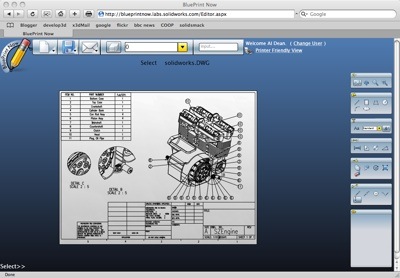
Anyway, what is interesting is that SolidWorks Labs just launched an online hosted DWG editor called BluePrint Now and it looks pretty slick. With many talking about delivery of CAD over the web, then this is a good indicator of what the first batch of tools will look, feel and smell like. Its built using the Microsoft’s SilverLight technology and the UI is nifty, if a little clunky (as all over the web, CAD apps have been to date). But does it work? I’m going to spend some more time playing with it, but first impressions are that it has some basic tools, lines, circles, arc etc. You can output the drawings as PDF, as DWG again (useful if you’ve made an edit) from AutoCAD R14, right through to the latest rev – or you can email a link to share it with someone.
SolidWorks DWG data – works fine – as you would expect.
I did try loading some data, both from Inventor as AutoCAD DWGs and from SolidWorks. The app has a 1Mb file limit, which is going to be pretty quickly hit if you’ve got any data of any size. It loaded the SolidWorks DWGs fine, displayed them after a few hiccups but you could actually pan and zoom the drawing, add some basic detail. Same for the Inventor generated data.
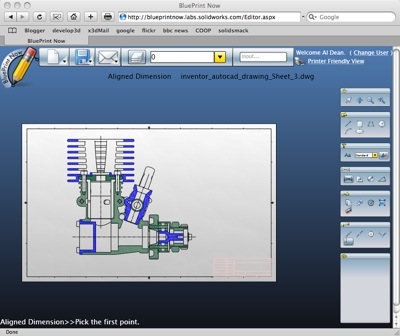
Inventor DWG file, uploaded to Blueprint Now – seems to work just fine
But this isn’t the point of Labs projects. these things are put out there to show the vendor’s future thoughts – whether they actually reach fruition and become a shipping product remains to be seen. Oh and I just realised two things – Yes, I tried this using Safari and Yes, it works on OSX.